 ×

Every online order builds loyalty.
Town runs your website and commission-free ordering. Leat runs your loyalty, gift cards and guest marketing. Connected, a guest earns and spends the same points online as at your counter.


The restaurant tech stack
Every system is its own little world.
None of them talk to each other.
You need systems
that talk to each other.
One guest. One system.
Everything connected.
Scroll
Tools shown are integrations listed by Leat on leat.com, plus the delivery apps and POS systems Town connects. Names and logos belong to their owners.
01The gap
Your loyalty program stops at the front door.
Loyalty lives at the register. Online ordering lives somewhere else. Your best guests become strangers the moment they order from their phone.
Points only count in person
A regular who orders online three times a week earns nothing for it.
Gift cards only work at the counter
The balance can’t be spent on a pickup or delivery order.
Two guest lists
Online buyers and loyalty members sit in separate systems, so nobody gets the right message.
Delivery apps keep the guest
Orders placed there never reach your loyalty program at all.
Town × Leat closes it
Every direct order on your Town site is a loyalty transaction in Leat, with the guest’s name on it.
02The integration
Four things that work across both.
Set up your program once in Leat. Town applies it to every online order.
Earn and redeem points
Guests earn Leat points on every Town order and spend their rewards right in checkout.
- Points, stamps, tiers and memberships set up in Leat
- Balance and rewards shown before they pay
- Points post on completion, reverse on refund
- New guests can join during checkout
Gift cards and prepaid
Leat gift cards and prepaid balance are a payment method on your Town site.
- Pay in full, or split between a gift card and a credit card
- Balance updates right away, in store and online
- The same card works at your counter and on your website
- Refunds go back to the card they came from
Vouchers and promos
Vouchers you send from Leat are accepted in Town checkout.
- A voucher from a Leat email or wallet pass applies with one tap or code
- Each voucher is checked live, so it can’t be used twice
- Redemptions report back to the Leat campaign that sent them
- Runs alongside Town’s own discount codes
BACK-7Q2MGuest data sync
Every Town order lands on the guest’s Leat profile, so your automations know what happened online.
- New online guests created, existing ones matched
- Order total, items, location and order type attached
- Fires welcome, win-back, birthday and top-guest flows
- Marketing consent collected at checkout

Nothing new to download. Nothing to explain.
They order on your site
From your Town website, Google listing or social link. Not a marketplace.
Town recognizes them
Their email or phone matches their Leat profile. New guests join in one tap.
They redeem and pay
Rewards, vouchers and gift card balance show up in checkout, ready to apply.
Points land right away
Their wallet pass updates, and your Leat automations take it from there.
03What guests see
What your guests actually see.
One program in your colors and logo, everywhere a guest meets you: on your Town site, in their phone's wallet, at your counter and in their inbox. Pick a brand to watch it change.
Example brand
Joining takes one tap
New guests join while they pay. Their phone number is their card, and they opt in to texts and email right there.
Rewards before they pay
Members see their points, rewards, gift card balance and vouchers on your site, and apply them in one tap.
A pass in their phone
The wallet pass carries your logo and colors, and it updates after every order, online or at the counter.
Scanned at the counter
Staff scan the pass at the register. It's the same balance as online, so nobody ends up with two accounts.
Emails with their real balance
Welcome, birthday and win-back emails go out on their own, with the guest's points and a voucher that works on your site.
A text when it matters
Guests who opted in get a text when a reward is ready. One tap takes them back to your site.
Example brands, guests and amounts. Leat sends automated messages by email, text and wallet pass notification, as described on leat.com.
In real life
At a busy counter, it has to be fast.
SushiDog serves grab-and-go sushi across London, where every second at the till counts. Guests show their Leat pass, staff scan it, and rewards land on their own.
Figures from Leat's SushiDog customer story.
Read the SushiDog story on leat.com ↗Real Town sites
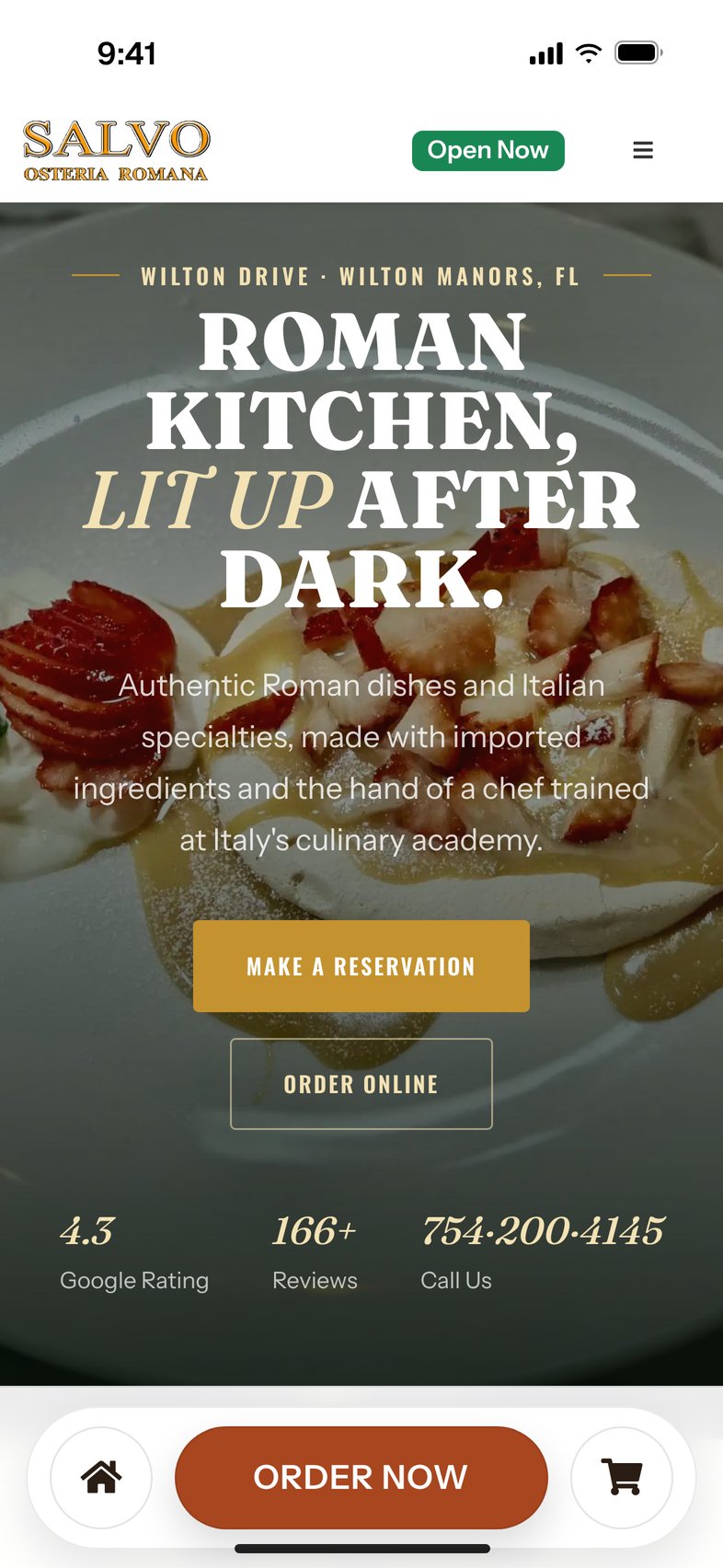
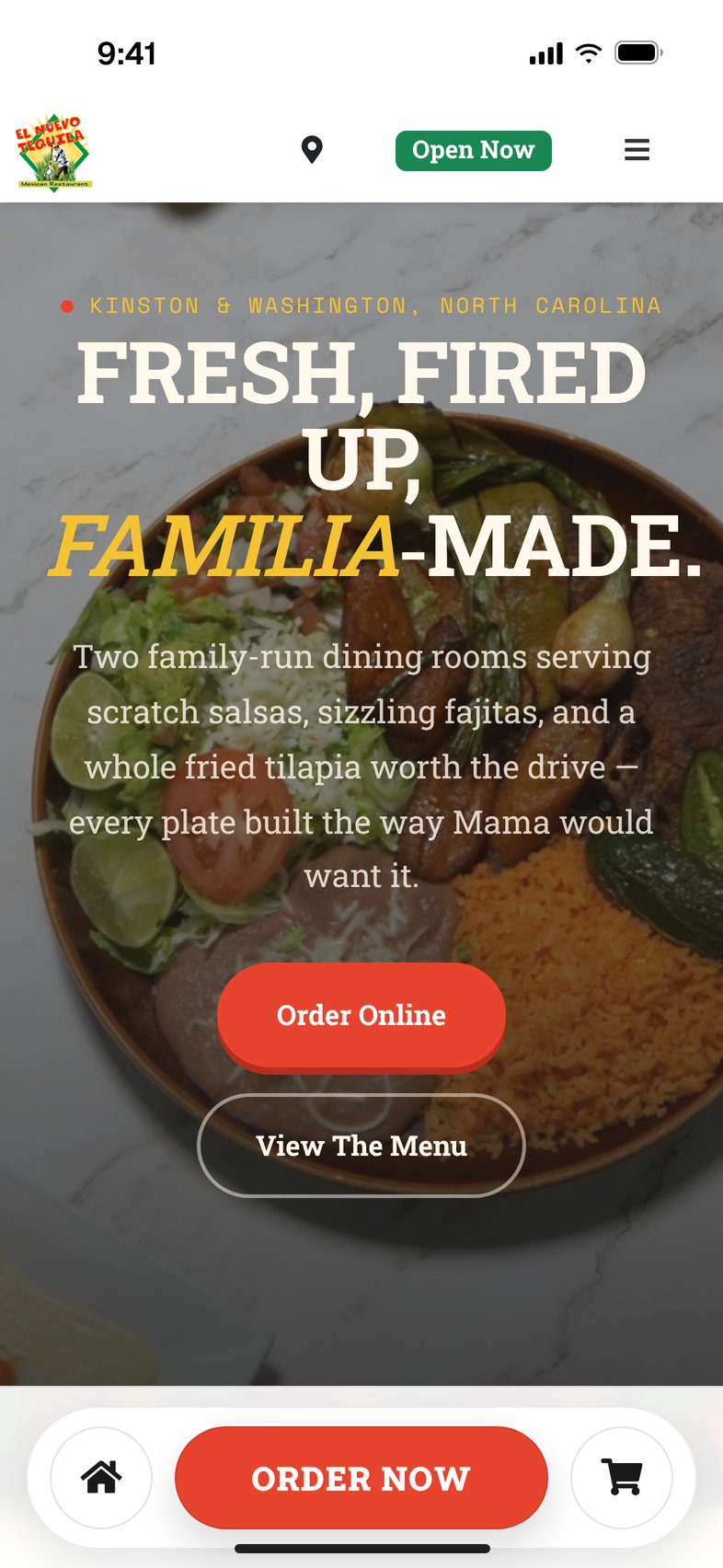
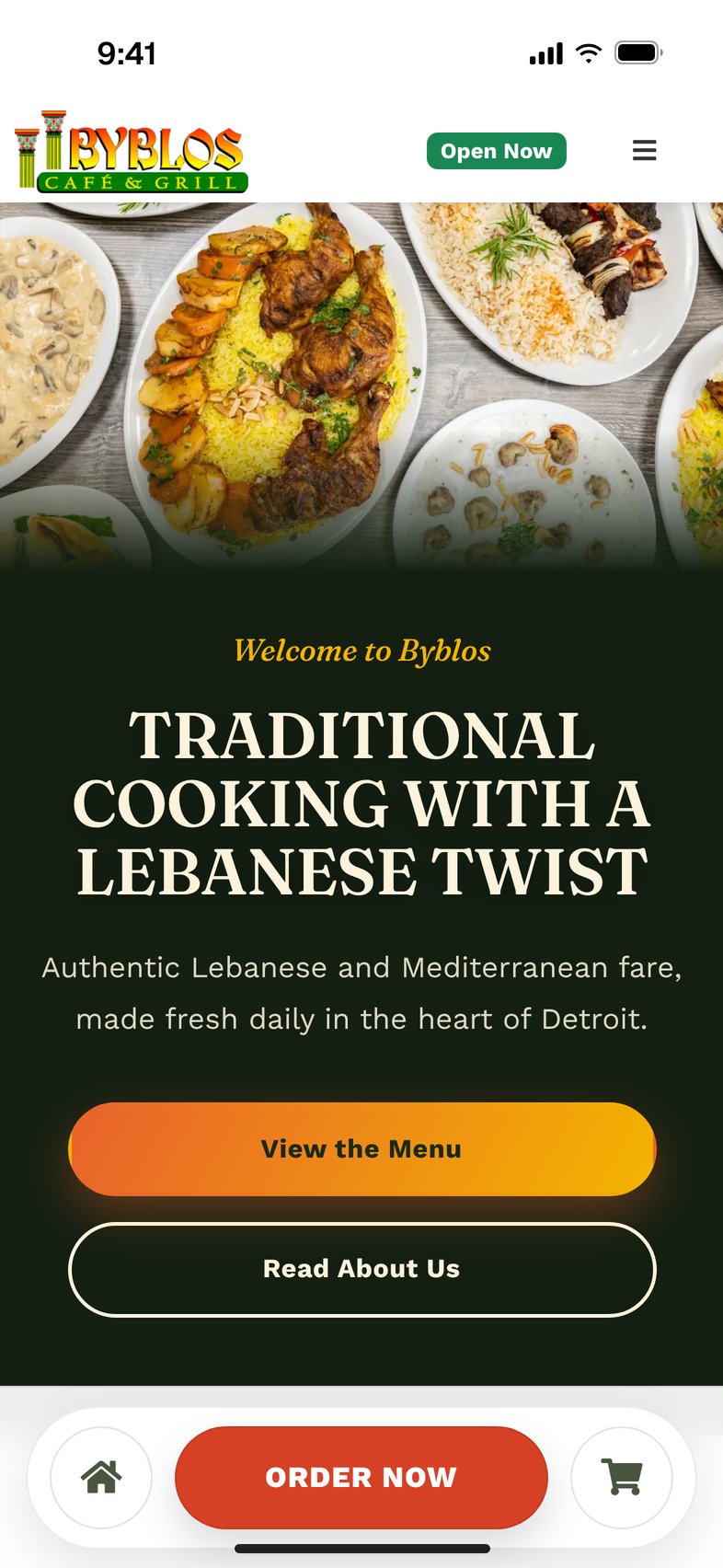
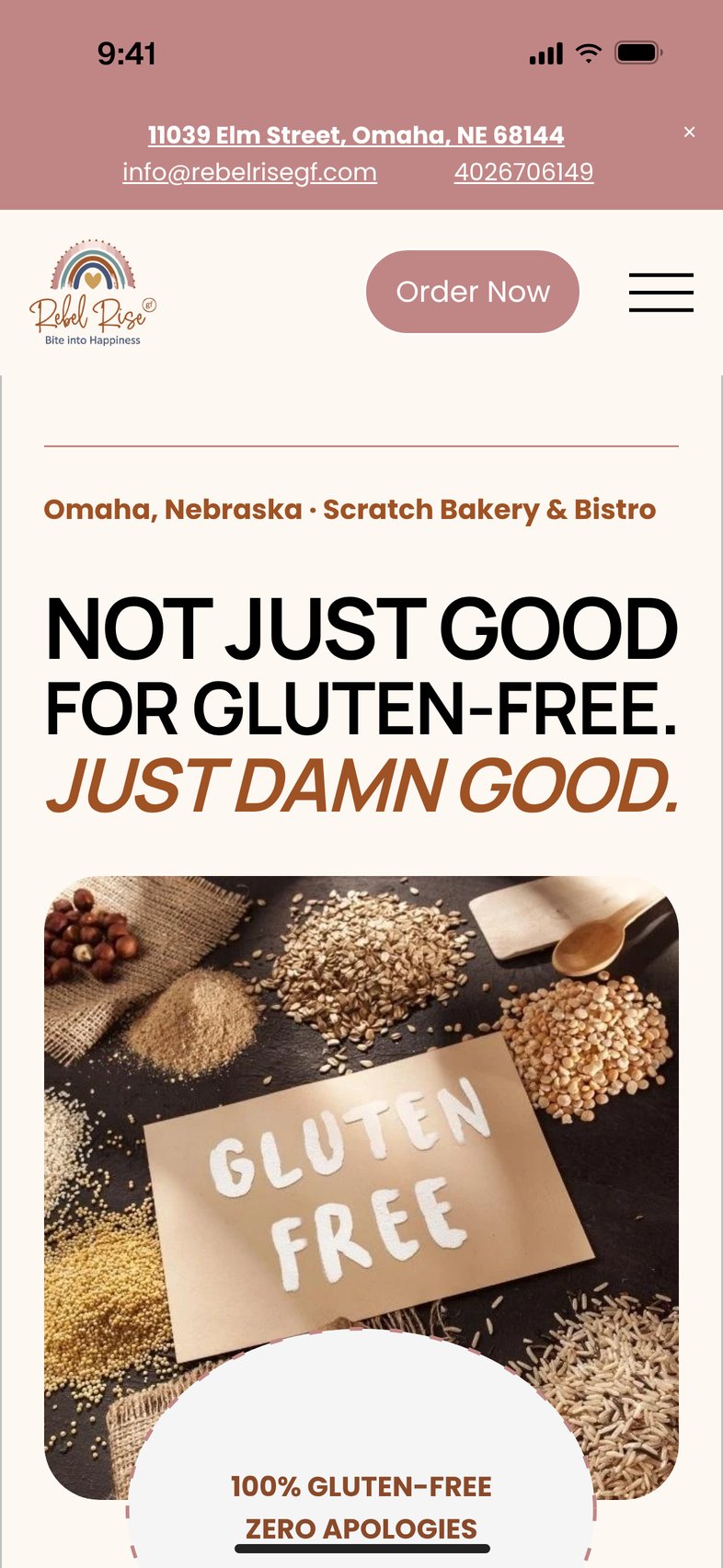
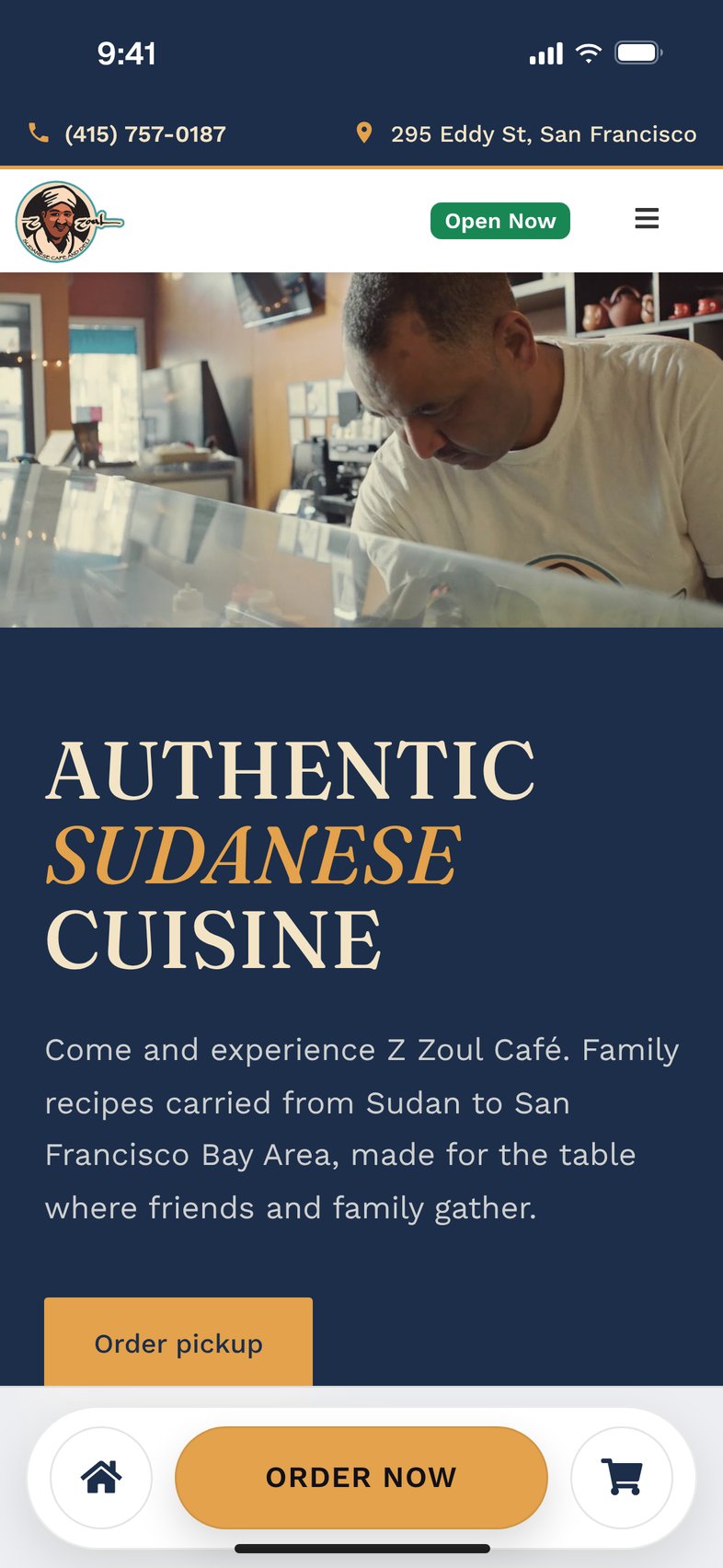
And this is a Town site.
Every Town site is designed for the restaurant, on its own domain, with ordering built in. These are live sites Town built for its restaurants.
04Who does what
Each one does what it’s best at.
Nothing overlaps, and nothing you already run gets replaced.
Website and direct ordering
- Custom, on-brand restaurant website
- Commission-free ordering, pickup and delivery
- Delivery through the major driver networks
- Orders sent straight to your POS
- Google listings, reviews and local search
- Reservations, waitlist and catering
Loyalty and promotions engine
- Points, stamps, tiers and memberships
- Gift cards and prepaid balance
- Digital vouchers and referral rewards
- Apple and Google Wallet passes
- Customer profiles across every touchpoint
- Automated marketing from real-time triggers
05Under the hood
What moves between Town and Leat.
For the people who’ll ask. Built on Leat’s public API.
| Event | Town sends or asks | Leat does |
|---|---|---|
| checkout.started | Looks the guest up by email or phone | Returns points balance, rewards and vouchers |
| guest.opted_in | Sends name, contact details and consent | Creates the profile and enrolls them |
| reward.applied | Asks Leat to validate the reward or voucher | Confirms it, marks it redeemed when the order is placed |
| giftcard.used | Checks the balance and charges the amount | Deducts it and returns the new balance |
| order.completed | Sends order total, items, location and order type | Awards points and fires your automations |
| order.refunded | Sends the refund | Reverses points and returns gift card balance |
06Getting started
Wherever you’re starting from.
Already on Leat
Keep your program, members and balances exactly as they are. We build your Town site and ordering, then connect it to your Leat account.
Already on Town
Set up your Leat account and program, then we switch on the connection. Your site, menu and ordering don’t change.
New to both
We set up Town for you, start to finish. Leat’s team helps you launch your loyalty program, and we connect the two before you go live.
07Questions
Good to know.
Do I need both Town and Leat?
Yes. The integration connects a Town account to a Leat account. Each one is its own subscription with its own company.
Do in-store and online points share one balance?
Yes. Leat holds the balance. Points earned at your register and points earned on your Town site go to the same guest profile.
Town has its own loyalty. Which one do I use?
One or the other. If you connect Leat, Leat runs loyalty for your online orders so guests never see two programs.
Does it work with delivery app orders?
No. Delivery marketplaces don’t share who the guest is. Points are earned on direct orders placed on your Town site, which is one more reason for guests to order from you.
Does it work for more than one location?
Yes. Each Town location is matched to its Leat location, so points and reports stay accurate per store.
Who do I call if something’s off?
Town supports your website, ordering and the connection. Leat supports your loyalty program, gift cards and campaigns. Start with either one and we’ll route it.
×
See it on your own restaurant.
A short walkthrough of your Town site with Leat loyalty, gift cards and vouchers in checkout.
Book a demoLeat and the other names and logos shown belong to their owners and are used to describe the integration. Leat features and figures are as published on leat.com. Order amounts and point values shown are examples.