



86 it in two taps.
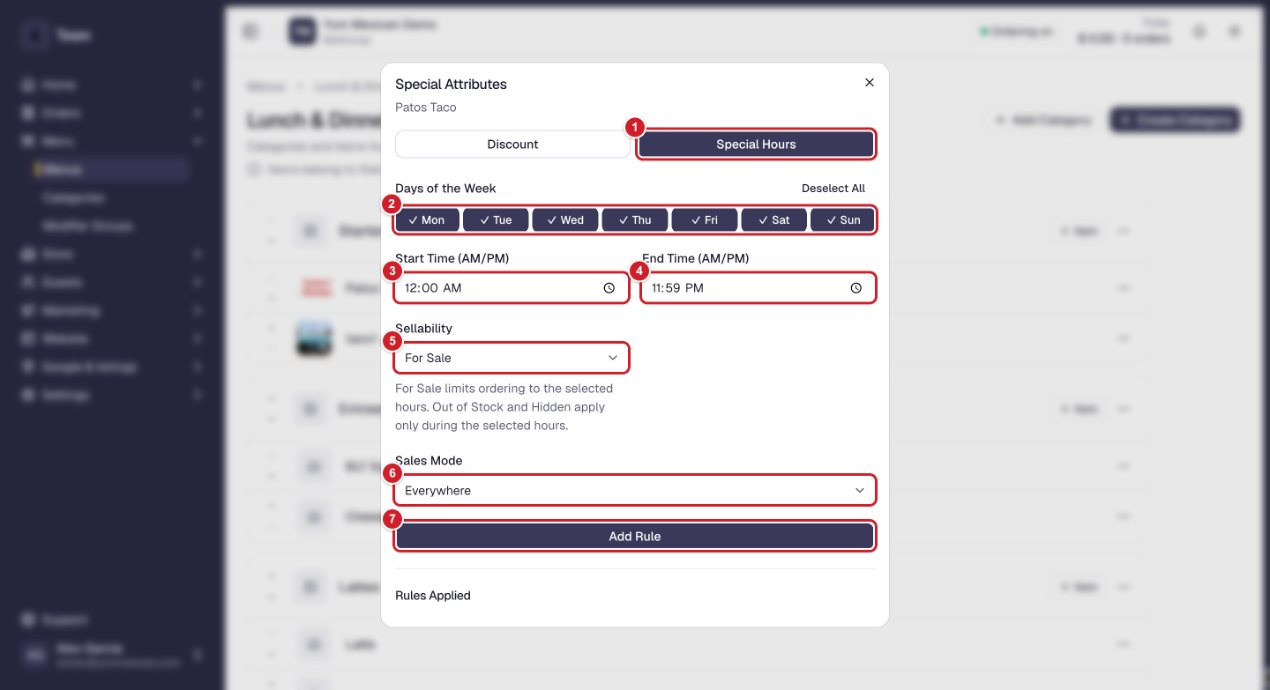
Hide an item for now, mark it out of stock, sell it only at certain times, or show a whole category only during set hours. Guests never order what the kitchen can't make.
What it does.
Out of stock
Mark an item out of stock and bring it back when it's ready.
Special hours for an item
Sell the breakfast burrito only until 11.
Category hours
Show the happy hour section only during happy hour.
How it works.
Open the item
From the menu or your category library.
Pick how to take it off
Hide, out of stock, special hours or delete.
Save
Most changes show on your site the moment you save.
Read the step-by-step.
Step-by-step articles with real screenshots of the Town back office.
More of the toolset.

Online ordering
Pickup, delivery and catering on your own site, straight into your POS.
See the product →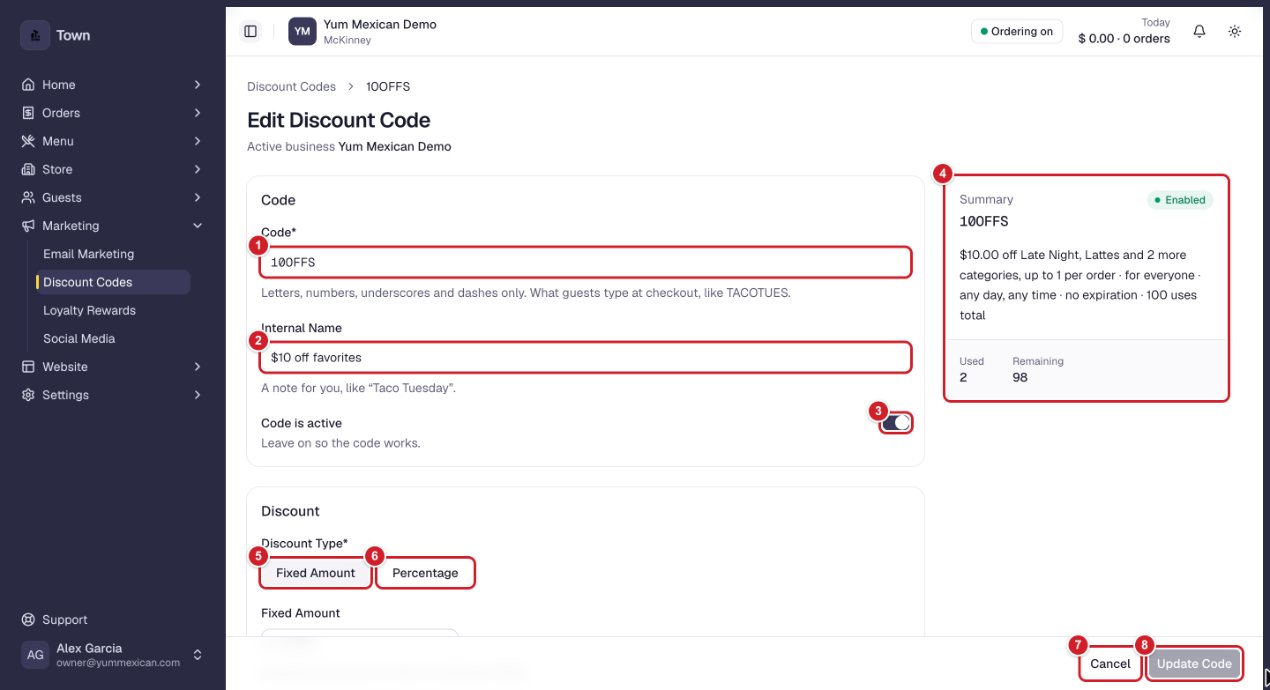
Discount codes
A dollar or percent off an order, a category or a single item, with the start date, end date and usage limits you choose.
See the feature →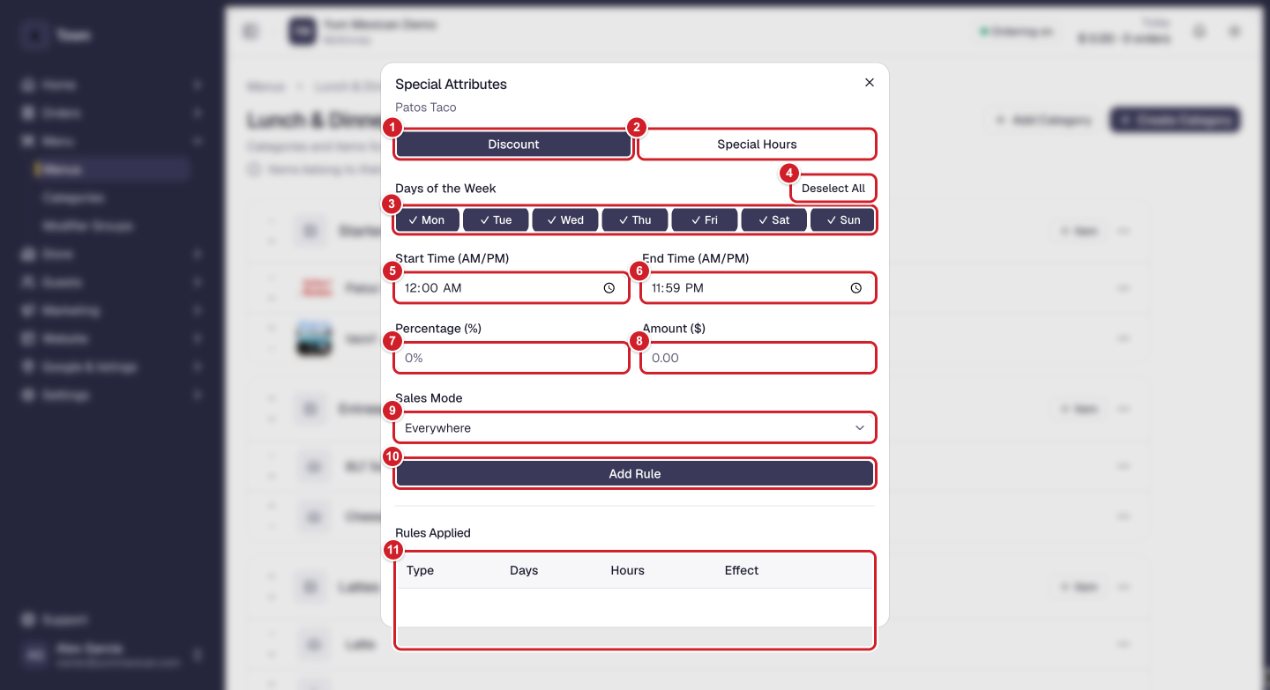
Happy hours and daily specials
Make a code that only works on certain days and times, or put an item on sale automatically.
See the feature →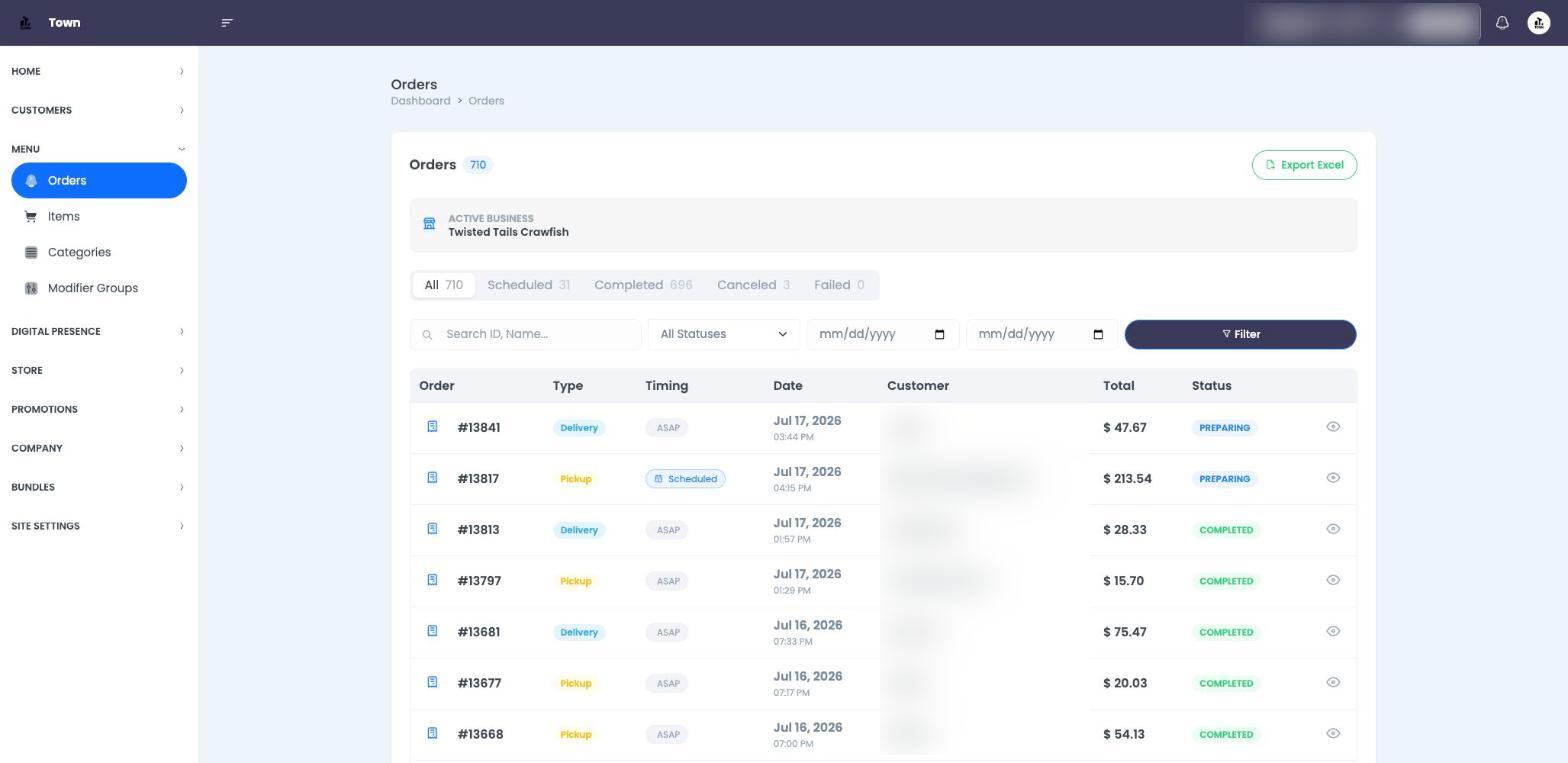
Order management and refunds
Search, filter and open any order, move it from confirmed to completed, refund all or part of a card payment from the order itself, and export a date range to a spreadsheet..
See the feature →
See it in your own admin.
One flat price of $300 a month with 0% commission, everything included, built and run for you.