



Slammed? Pause ordering until 8.
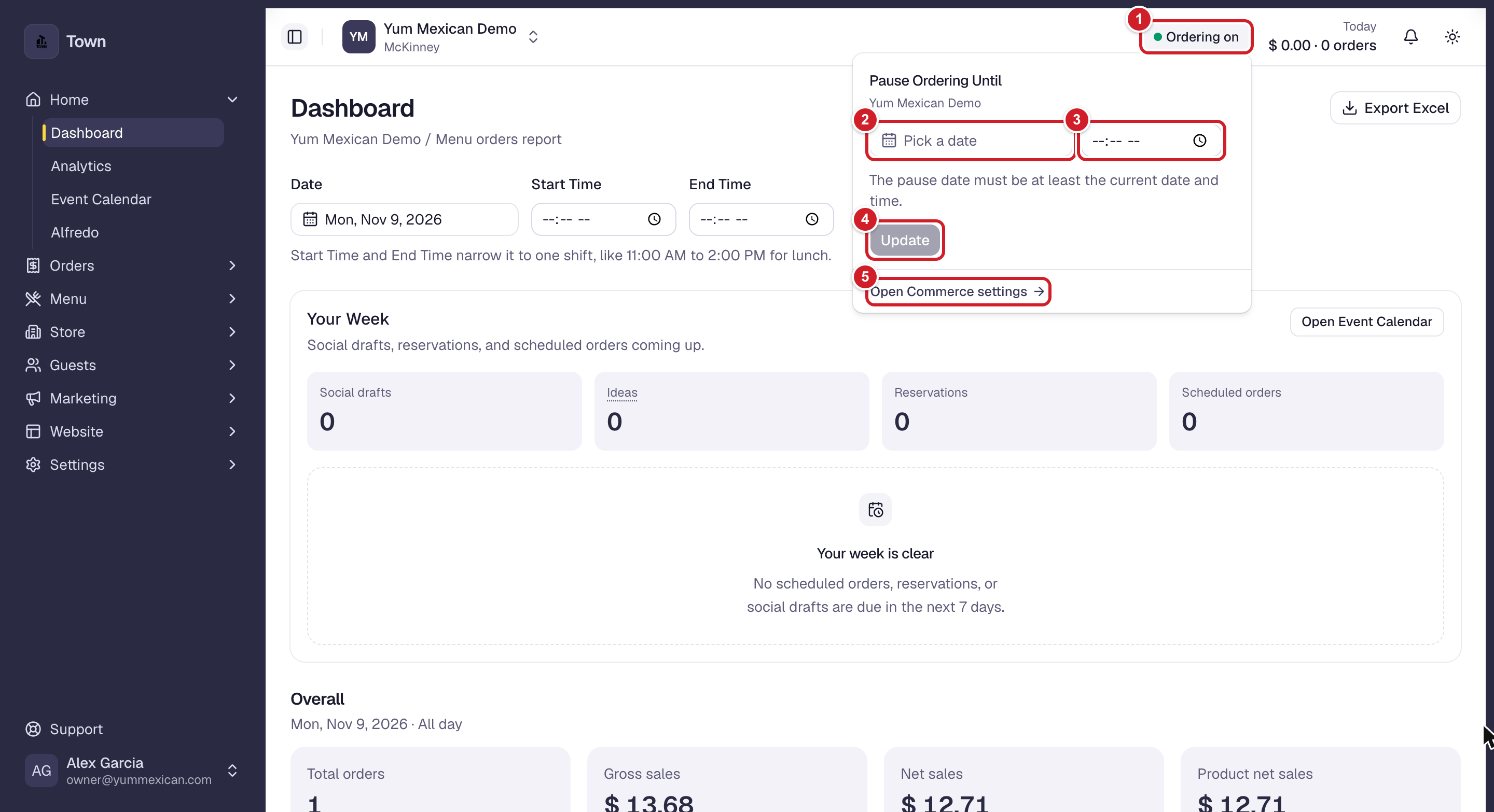
Stop taking online orders until a date and time you choose, and ordering turns back on by itself. Do it from the top bar of your admin, or just ask Alfredo.
What it does.
Pause until a time
Ordering resumes on its own when you said it would.
One click from anywhere
The Ordering on button sits in the top bar.
Or ask Alfredo
"Pause ordering until 8pm" works too.
How it works.
Click Ordering on
In the top bar of your admin.
Pick when to resume
A date and time.
Get back to the line
Ordering turns itself back on.
Read the step-by-step.
Step-by-step articles with real screenshots of the Town back office.
More of the toolset.

Online ordering
Pickup, delivery and catering on your own site, straight into your POS.
See the product →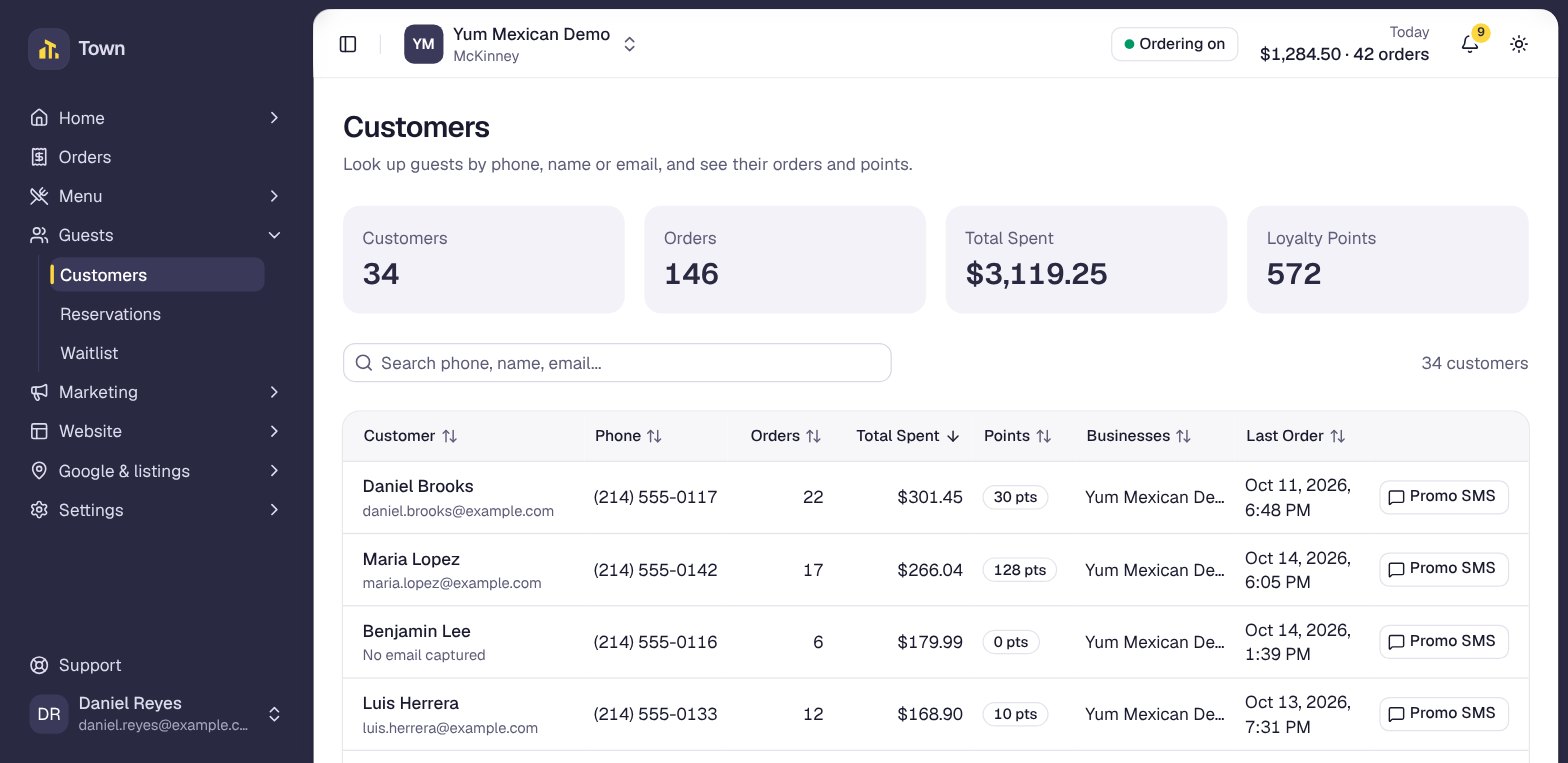
Guest profiles and texts
Find any guest by phone, name or email and see every order they've placed, what they've spent and their loyalty points.
See the feature →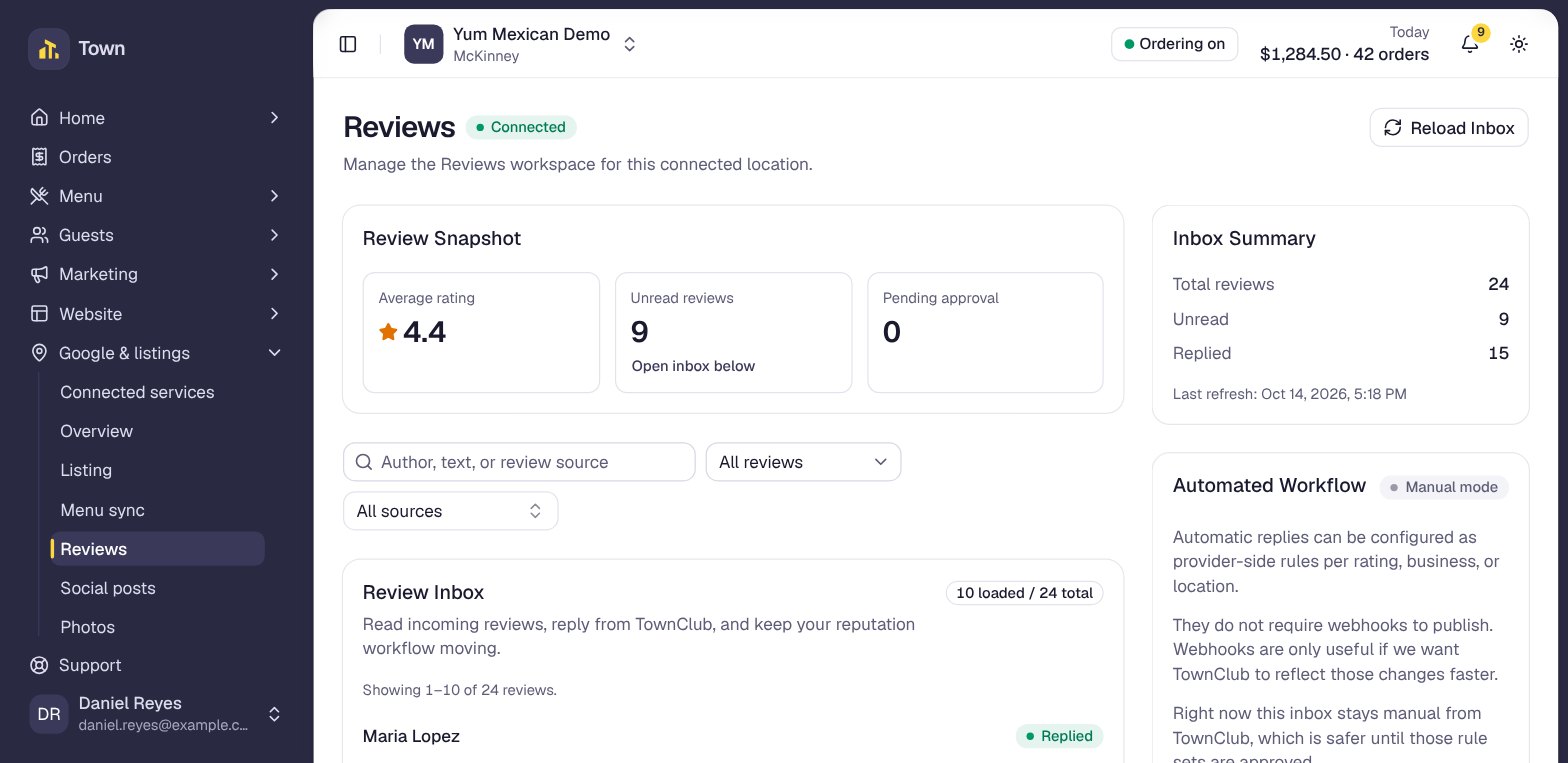
Review inbox
Reviews from Google, Facebook and more land in one inbox in your admin, with a bell in the top bar when a new one needs a reply.
See the feature →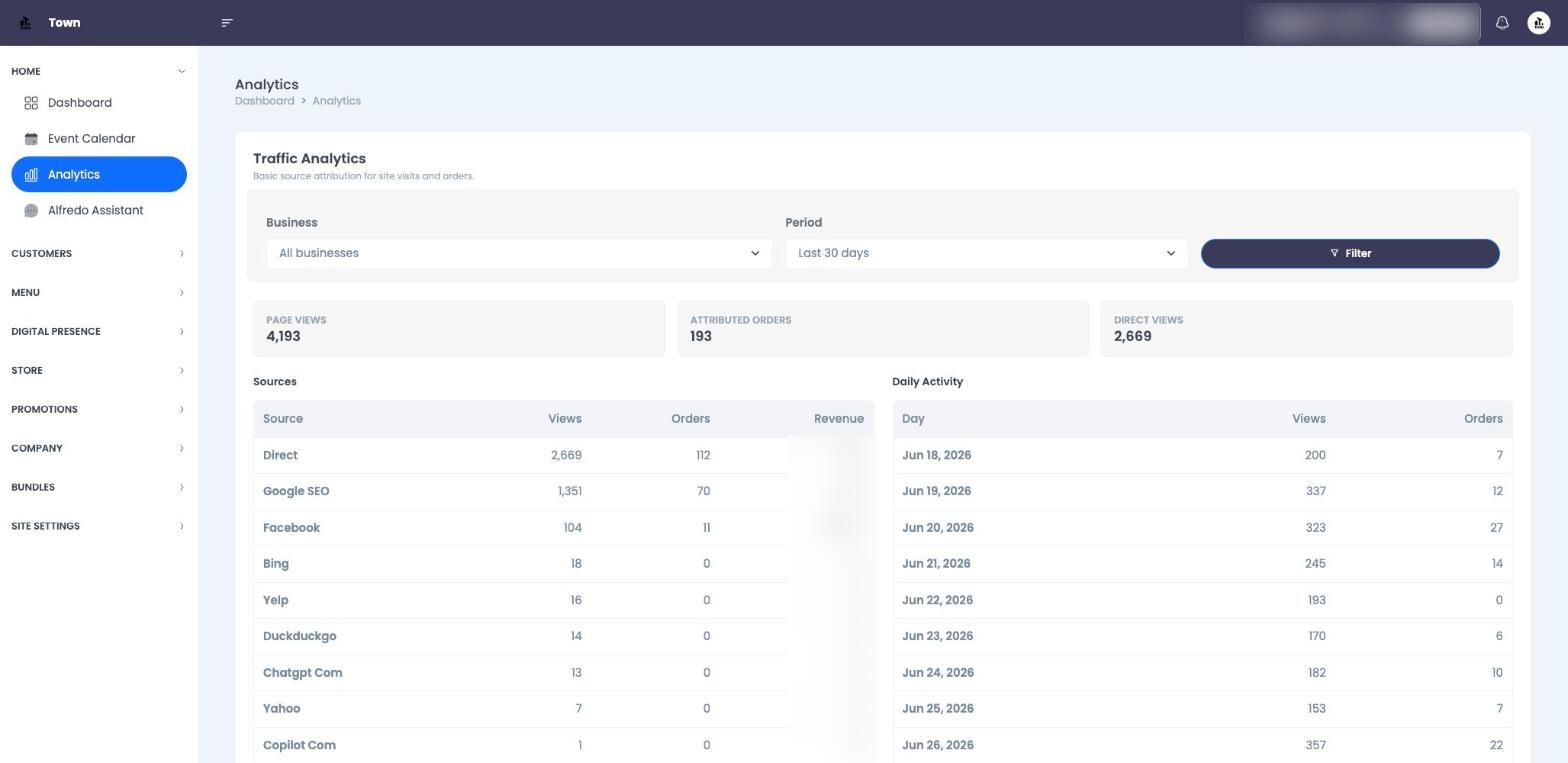
Sales and traffic analytics
Sales, orders, tips and taxes for any day and time range, plus your website's page views and the orders and revenue each source brought in..
See the feature →
See it in your own admin.
One flat price of $300 a month with 0% commission, everything included, built and run for you.