



Build the menu once. Sell it everywhere.
Add categories, put them in order and add items with photos, sizes and add-ons. Give each menu its own hours and ordering rules, and choose which locations use it.
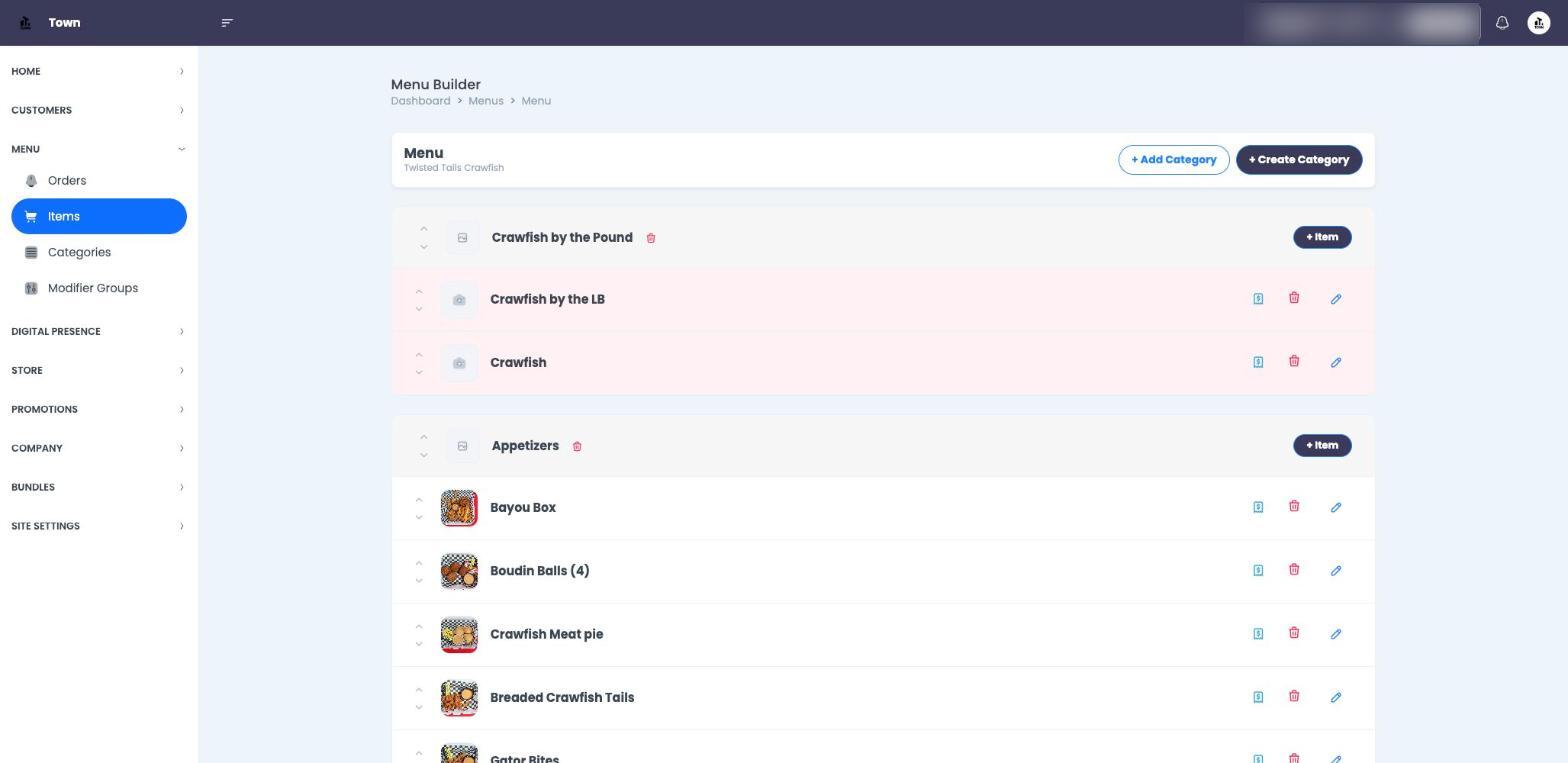
What it does.
Menus with their own hours
A lunch menu, a brunch menu and a catering menu, each with its own hours and rules.
Categories in your order
Drag categories into place and show some only at certain times.
Items with photos and sizes
Name, price, photo, description, sizes and add-ons on one screen.
How it works.
Create a menu
Name it and pick the locations that use it.
Add categories
Build and order the sections guests scroll through.
Add or open items
Set prices, photos, sizes and add-ons.
Read the step-by-step.
Step-by-step articles with real screenshots of the Town back office.
More of the toolset.
Online ordering
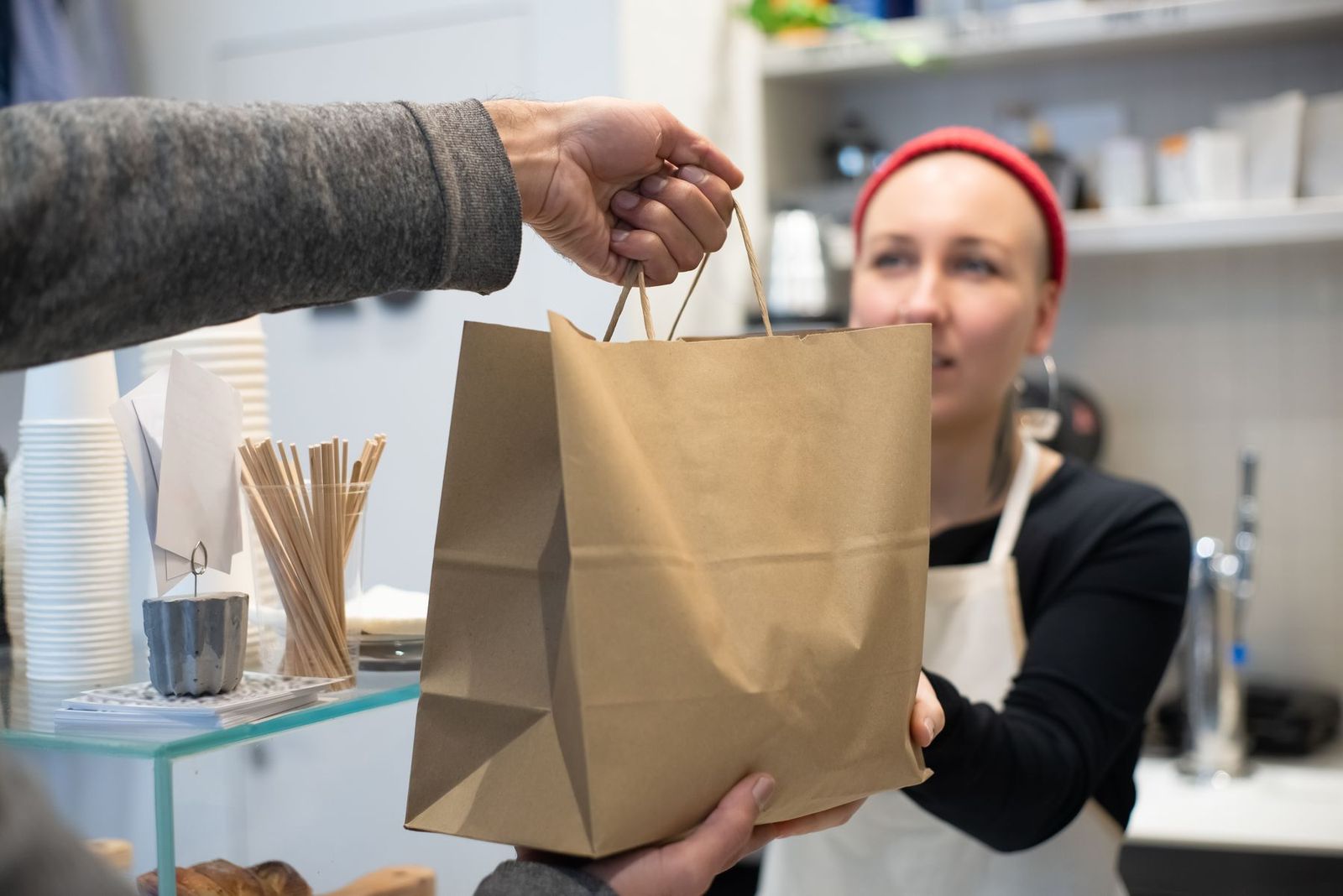
Pickup, delivery and catering on your own site, straight into your POS.
See the product →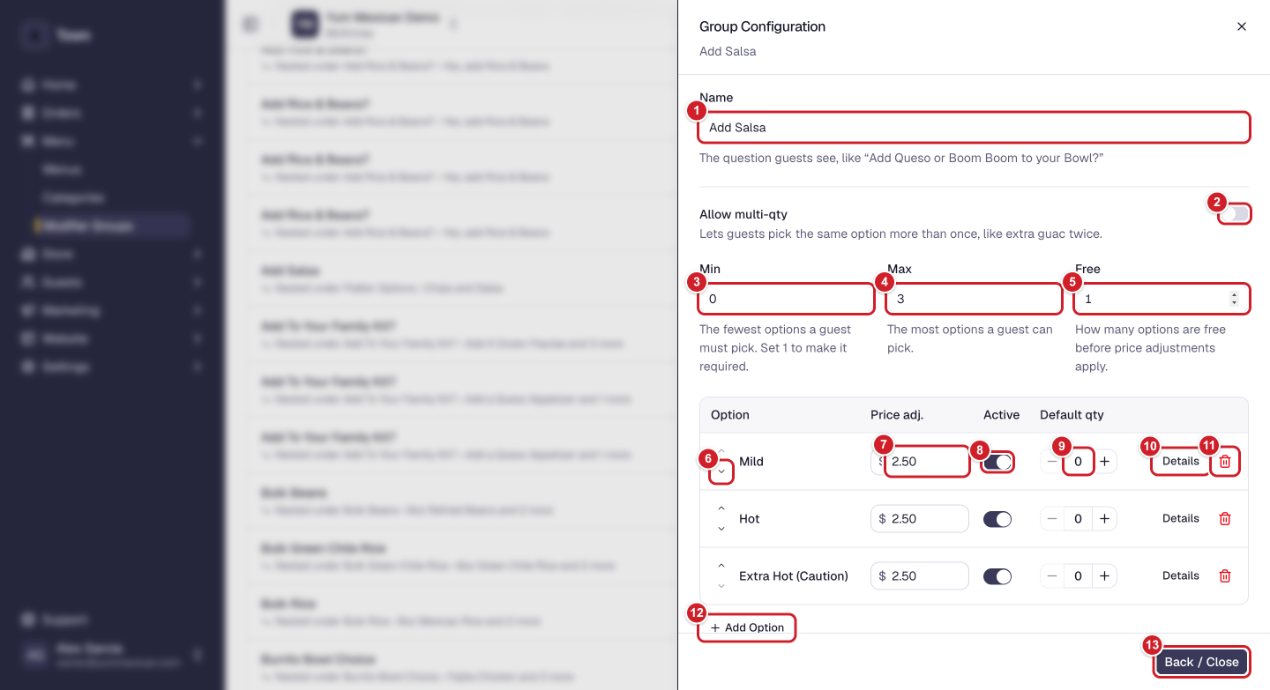
Modifiers and add-ons
Build sets of choices, like "Choose your protein" or "Add queso", and reuse them across your menu.
See the feature →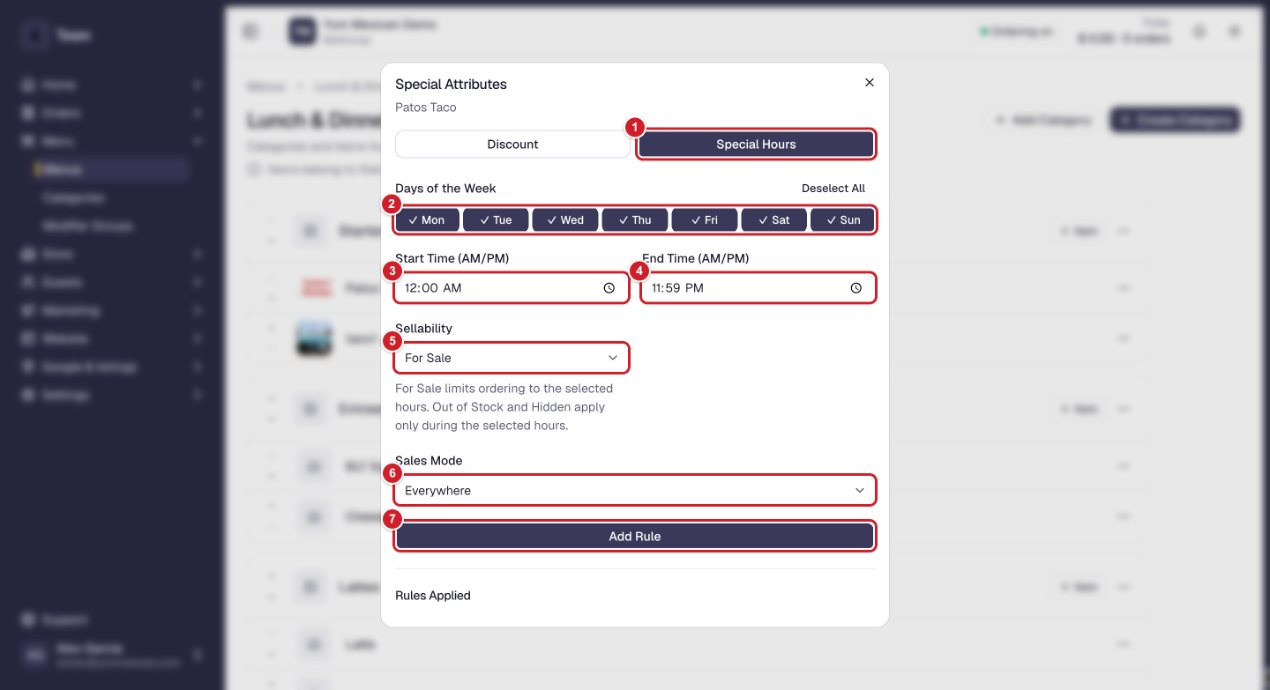
86 an item, or sell it at set times
Hide an item for now, mark it out of stock, sell it only at certain times, or show a whole category only during set hours.
See the feature →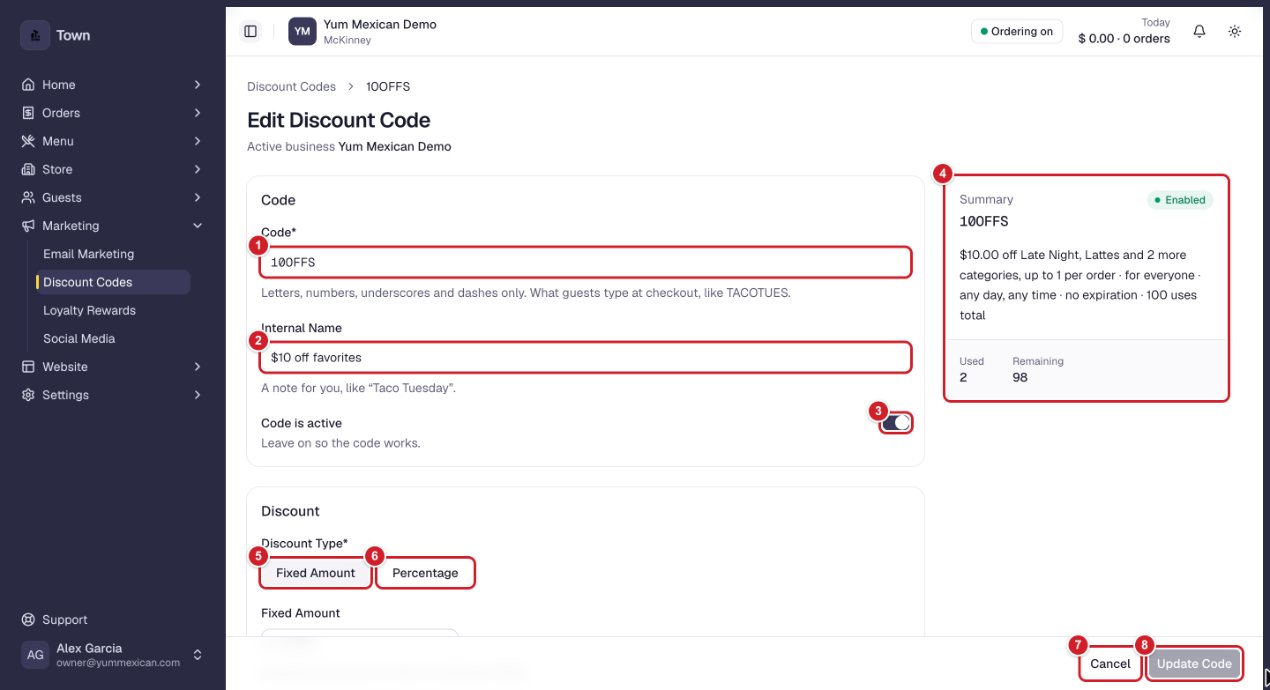
Discount codes
A dollar or percent off an order, a category or a single item, with the start date, end date and usage limits you choose.
See the feature →
See it in your own admin.
One flat price of $300 a month with 0% commission, everything included, built and run for you.