



- Help center
- Locations & settings
- Update your business details and logo
Update your business details and logo
Name, phone, email, timezone, logo, address and the footer newsletter signup.
Where to find itSettings › Locations › ⋯ Edit › General
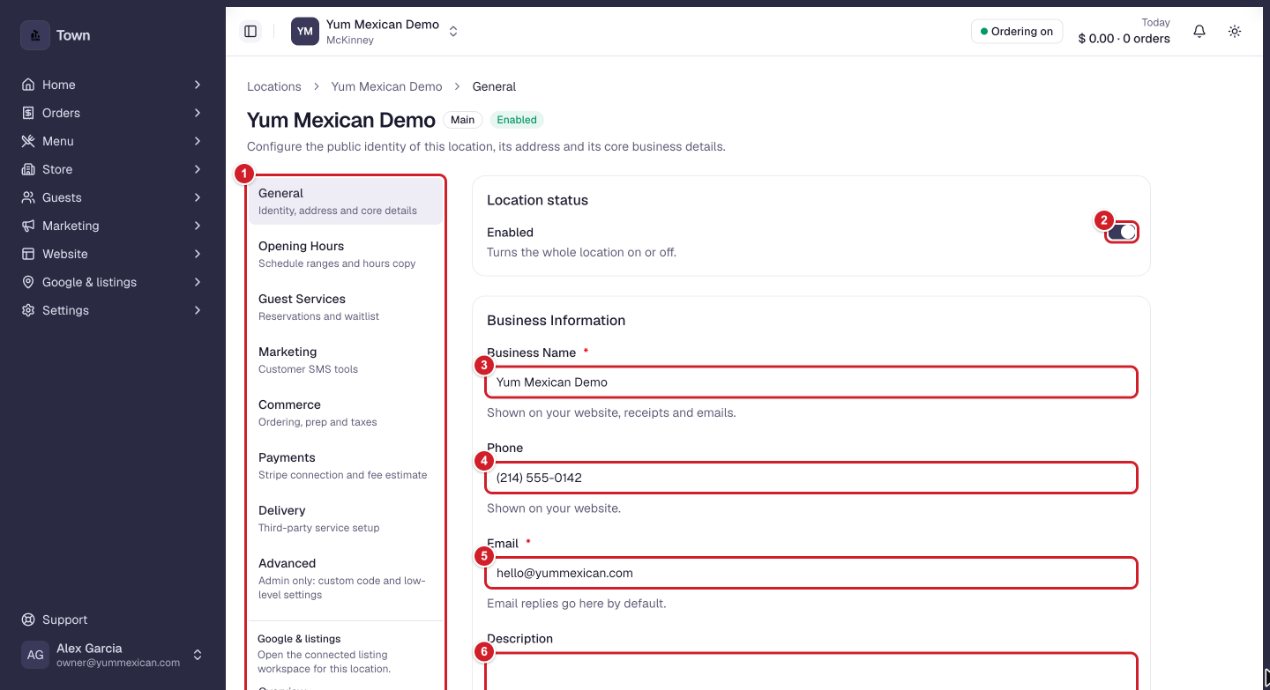
- 1Sections Each part of the location’s settings.
- 2Enabled Turns the whole location on or off.
- 3Business Name Shown on your website, receipts and emails.
- 4Phone Shown on your website.
- 5Email Email replies go here by default.
- 6Description A short description of the location.
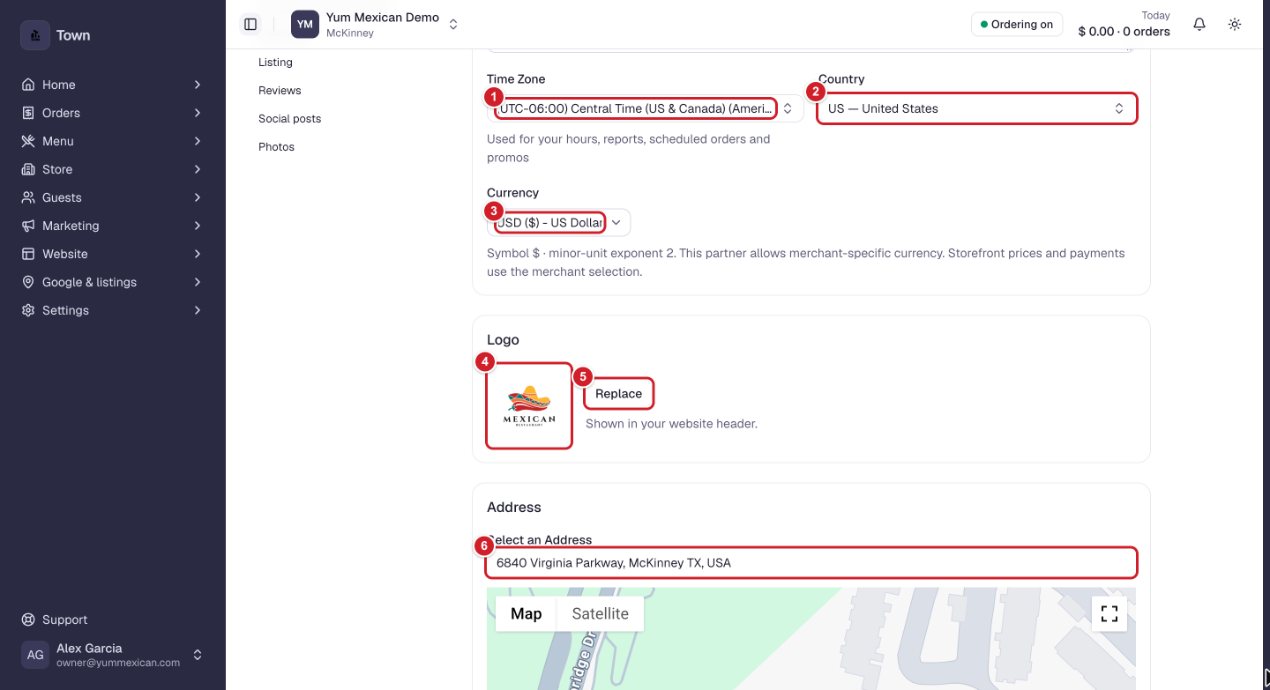
- 1Time Zone Used for your hours, reports, scheduled orders and promos.
- 2Country Your country.
- 3Currency The currency for prices and payments.
- 4Logo Shown in your website header.
- 5Replace Uploads a new logo.
- 6Address Shown on your website and receipts.
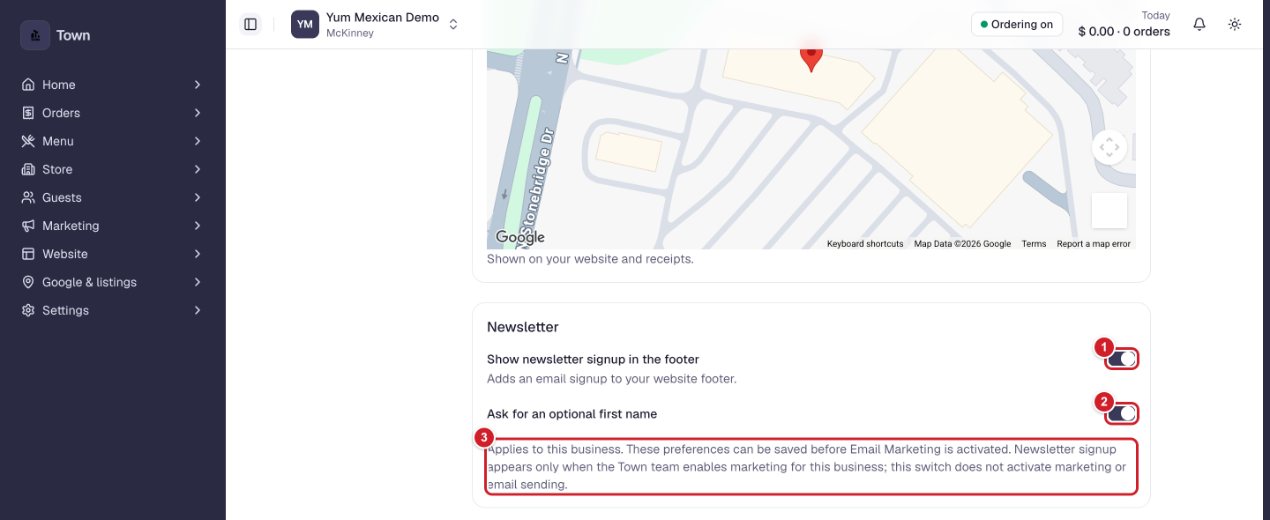
- 1Show newsletter signup in the footer Adds an email signup to your website footer.
- 2Ask for an optional first name Adds a first name box.
- 3Note The signup appears only once the Town team turns on Email Marketing for this location.
Click Update to save.
Still stuck?
Ask Alfredo inside your Town admin, call (469) 249-2795 or email support@town.club. Real people answer 24/7.