



- Help center
- Promotions & loyalty
- Set up loyalty points and rewards
Set up loyalty points and rewards
Give guests points for every dollar and let them trade points for rewards.
Where to find itMarketing › Loyalty Rewards
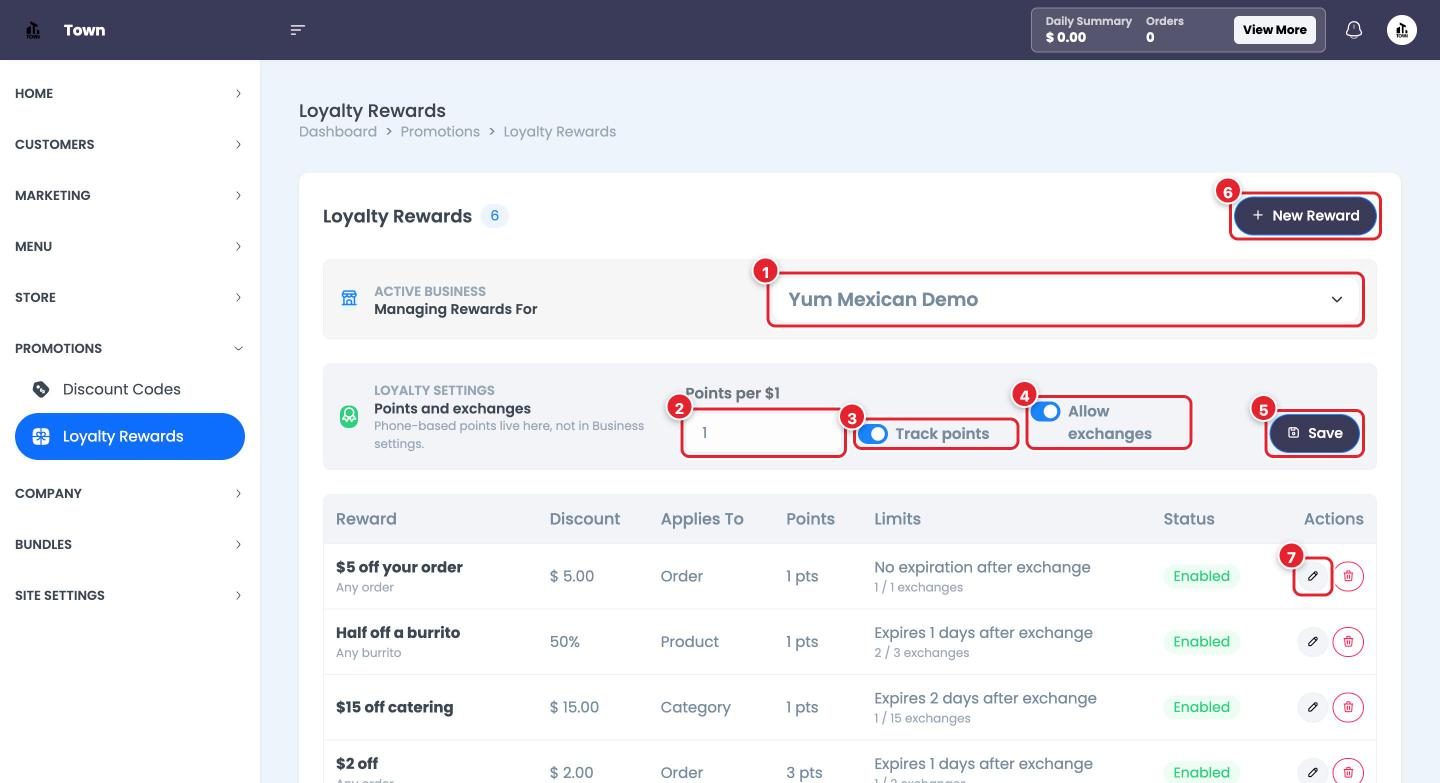
- 1New Reward Creates a reward.
- 2Managing Rewards For Rewards are per location.
- 3Points per $1 Like 1 point for every dollar.
- 4Track points Turns earning on.
- 5Allow exchanges Lets guests trade points for rewards.
- 6Save Saves these settings.
Points are tied to the guest’s phone number.
Your rewards
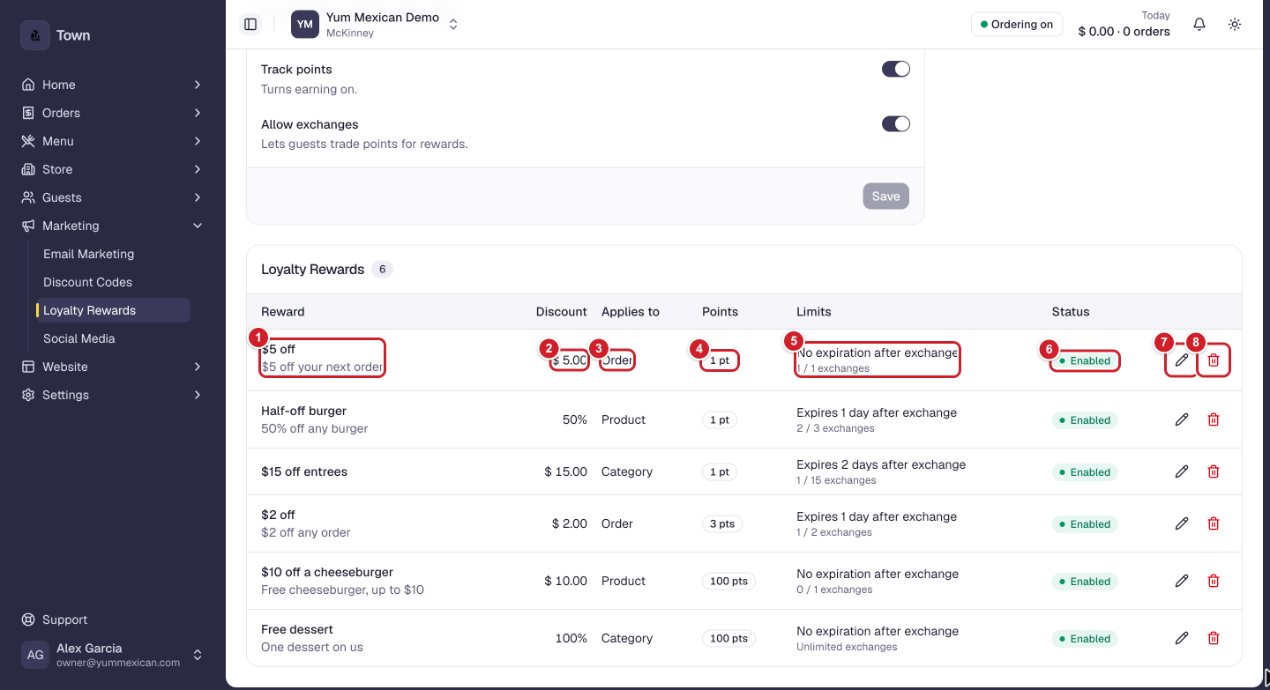
- 1Reward Its name and description.
- 2Discount Dollars or percent off.
- 3Applies to Order, Category or Product.
- 4Points Points needed.
- 5Limits Expiration after exchange, and exchanges used.
- 6Status Enabled or not.
- 7Pencil Edit.
- 8Trash Delete.
Create a reward
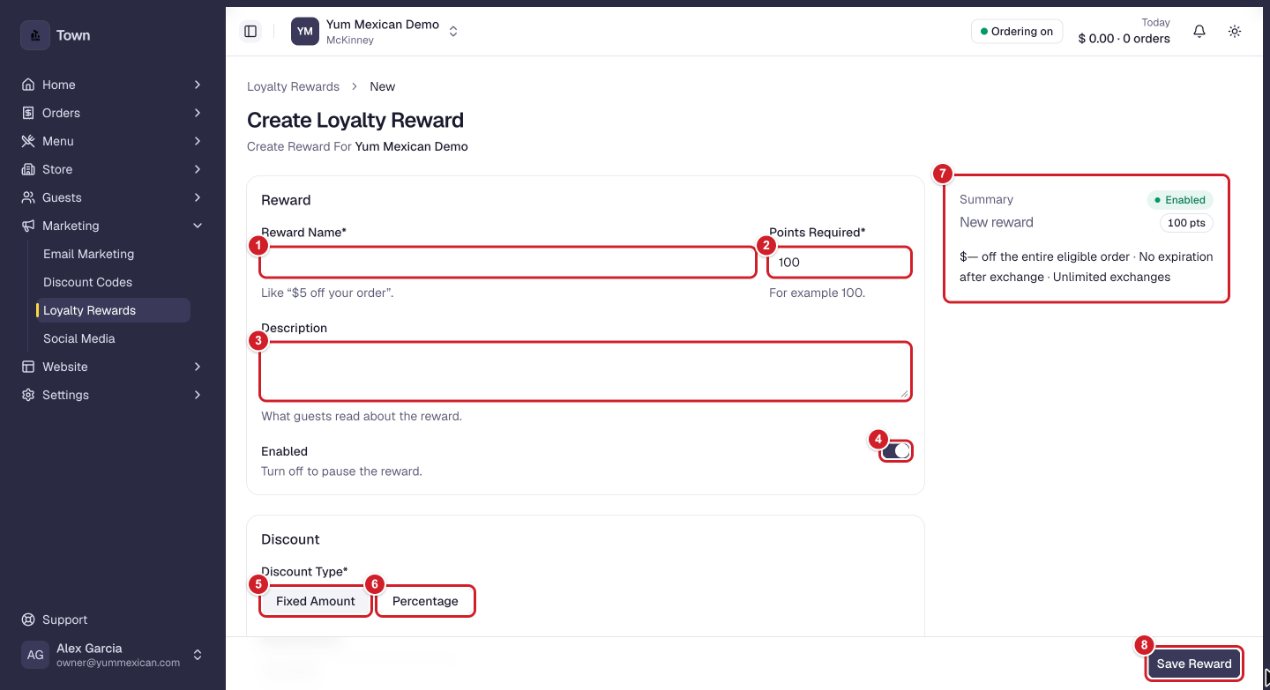
- 1Reward Name Like "$5 off your order".
- 2Points Required Like 100.
- 3Description What guests read about it.
- 4Enabled Turn off to pause the reward.
- 5Fixed Amount Dollars off.
- 6Percentage Percent off.
- 7Summary A plain-English summary as you build it.
- 8Save Reward Saves it.
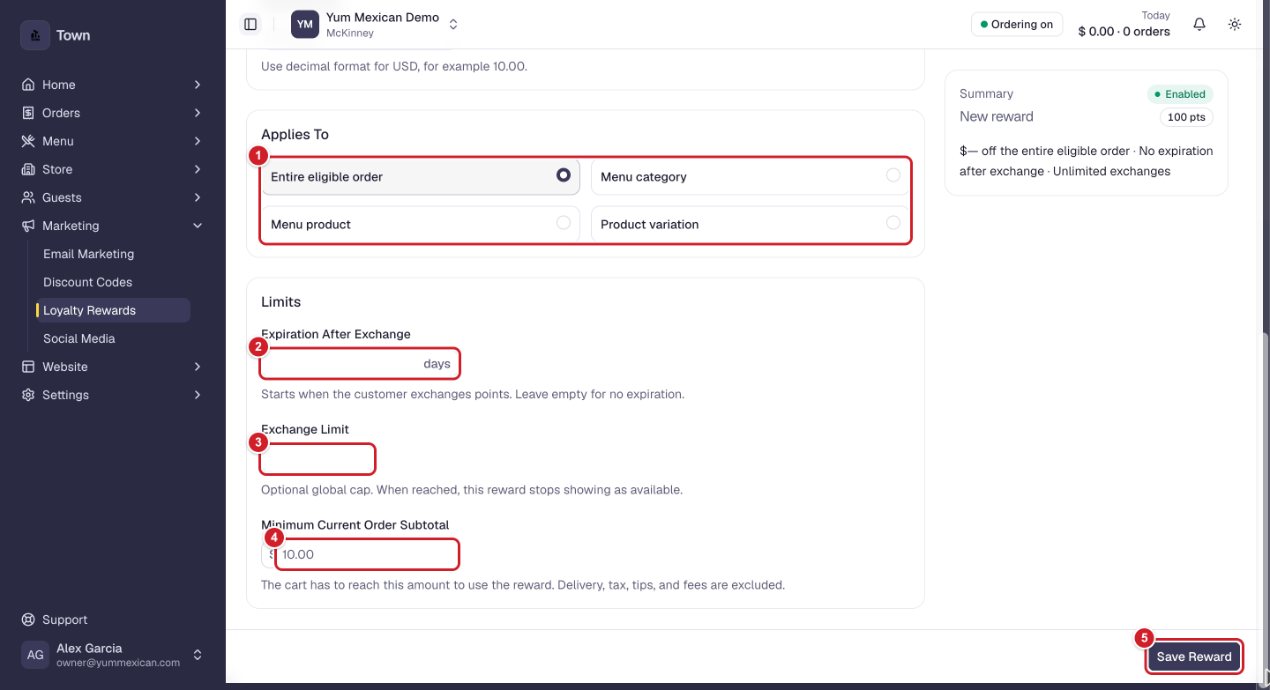
- 1Applies To Entire eligible order, Menu category, Menu product or Product variation.
- 2Expiration After Exchange Days the reward lasts once a guest trades for it. Leave empty for no expiration.
- 3Exchange Limit Optional cap. When reached, the reward stops showing.
- 4Minimum Current Order Subtotal The cart has to reach this amount. Delivery, tax, tips and fees are excluded.
- 5Save Reward Saves it.
Still stuck?
Ask Alfredo inside your Town admin, call (469) 249-2795 or email support@town.club. Real people answer 24/7.