



- Help center
- Guests
- Run a waitlist
Run a waitlist
Add walk-in parties, and let guests join from your website.
Where to find itGuests › Waitlist
The Waitlist shows parties waiting for a table at the location in the location switcher. Guests can also join from your website.
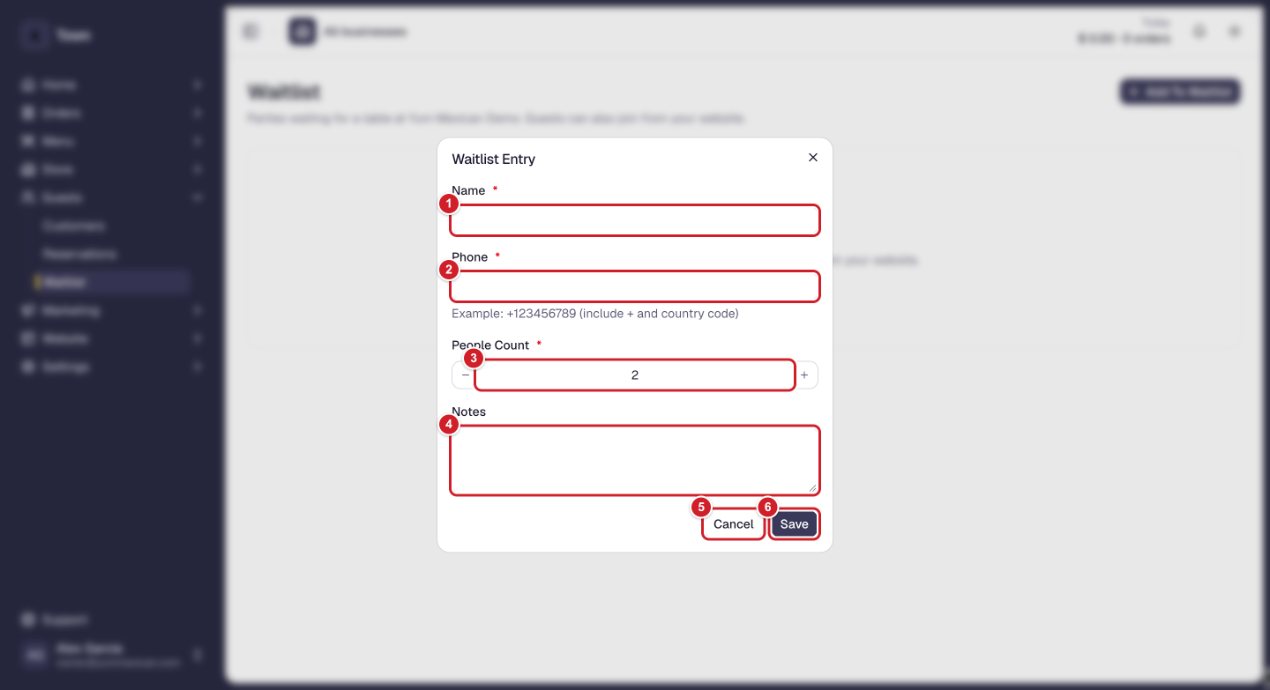
- 1Name The party’s name.
- 2Phone Include + and the country code, like +12145550142.
- 3People Count How many people.
- 4Notes Anything to remember, like "high chair".
- 5Cancel Closes without adding.
- 6Save Adds the party.
- Go to Guests › Waitlist and click Add To Waitlist.
- Fill in the name, phone and people count.
- Click Save.
Turn the waitlist on
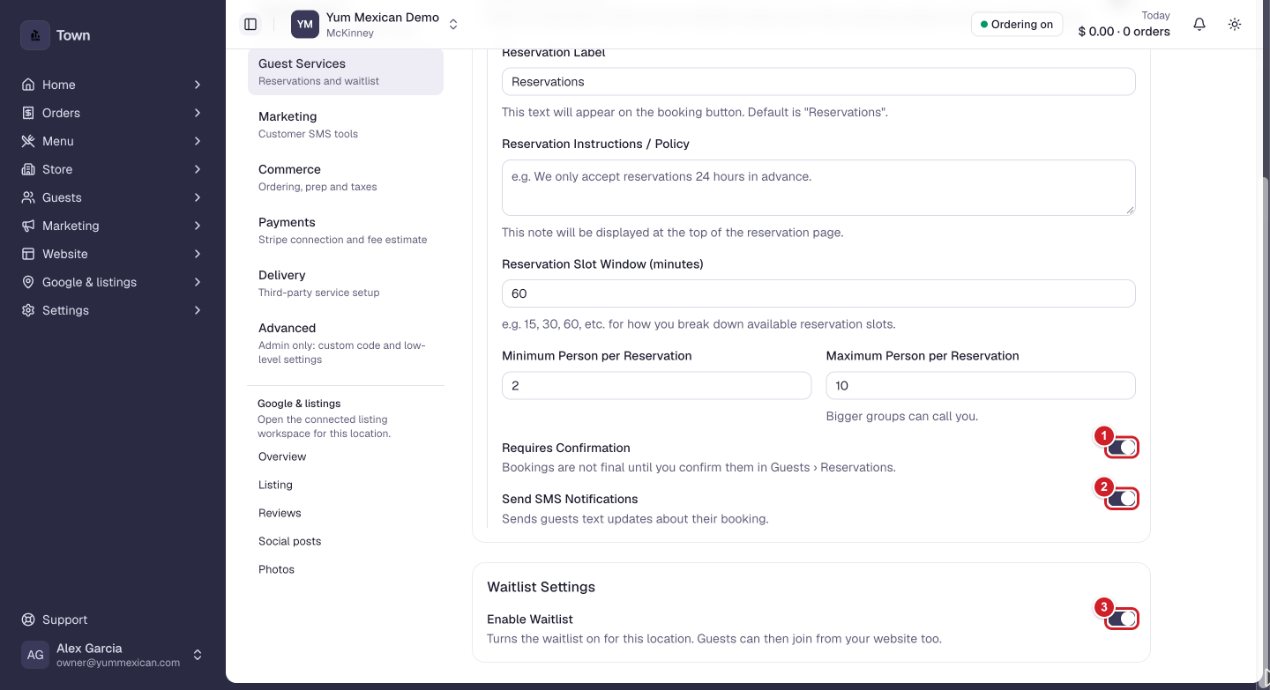
- 3Enable Waitlist Turns the waitlist on for this location, so guests can join from your website too.
To get an email when someone joins, see Invite your team and set alerts.
Still stuck?
Ask Alfredo inside your Town admin, call (469) 249-2795 or email support@town.club. Real people answer 24/7.