



- Help center
- Google & listings
- Manage your photos
Manage your photos
Upload photos once, label them, and reuse them in social posts.
Where to find itGoogle & listings › Photos
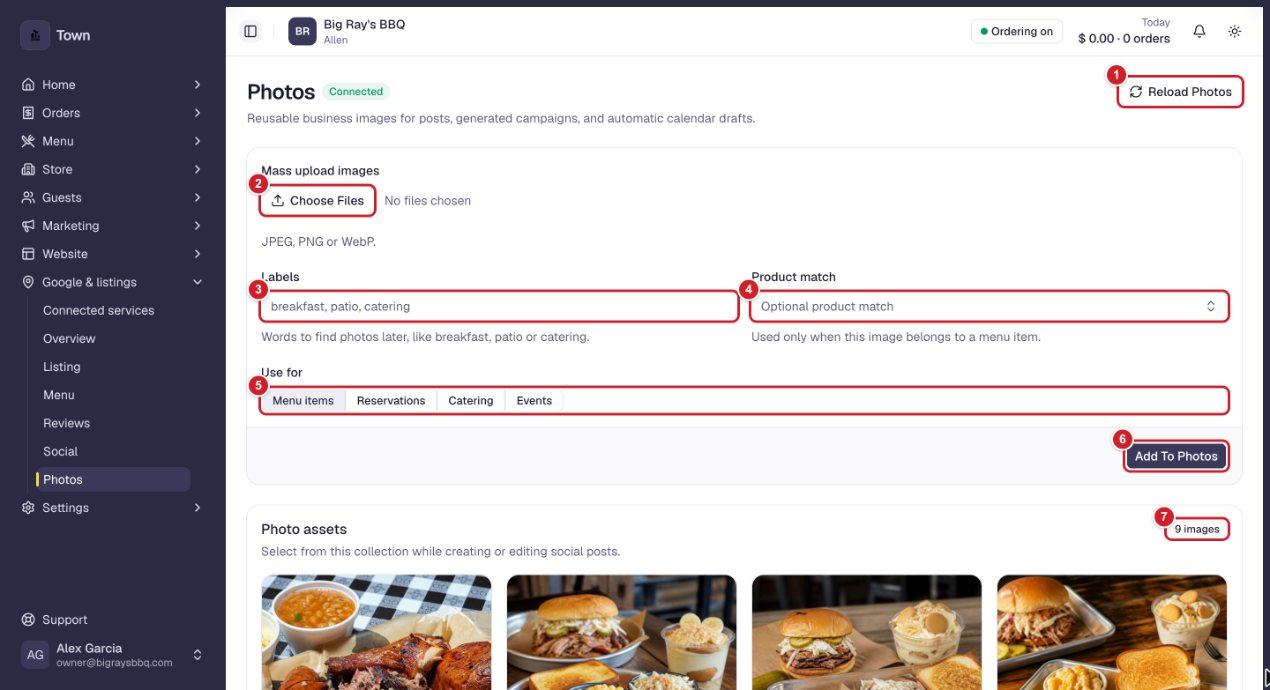
- 1Reload Photos Pulls in the latest.
- 2Choose Files Pick one or many photos. JPEG, PNG or WebP.
- 3Labels Words to find them later, like breakfast, patio or catering.
- 4Product match Optional. The menu item in the photo.
- 5Use for Menu items, Reservations, Catering or Events.
- 6Add To Photos Uploads them.
- 7Count How many photos you have.
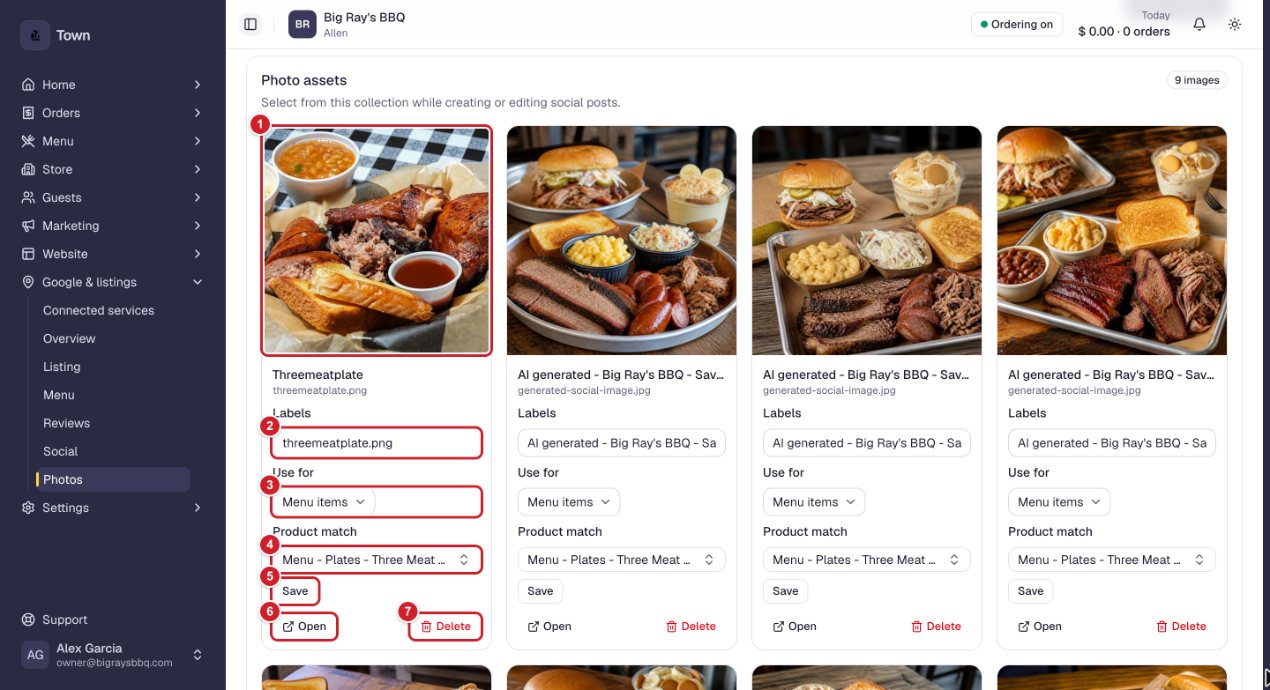
- 1Photo The picture.
- 2Labels Change its labels.
- 3Use for What it is for.
- 4Product match The menu item in it.
- 5Save Saves your changes.
- 6Open Opens the full-size picture.
- 7Delete Deletes the photo.
Pick these photos when you create or edit a social post with Choose From Photos. AI-made images are saved here too.
Still stuck?
Ask Alfredo inside your Town admin, call (469) 249-2795 or email support@town.club. Real people answer 24/7.