



- Help center
- Guests
- See a guest’s profile and order history
See a guest’s profile and order history
Every order a guest has placed, what they spent and their loyalty points.
Where to find itGuests › Customers › click a name
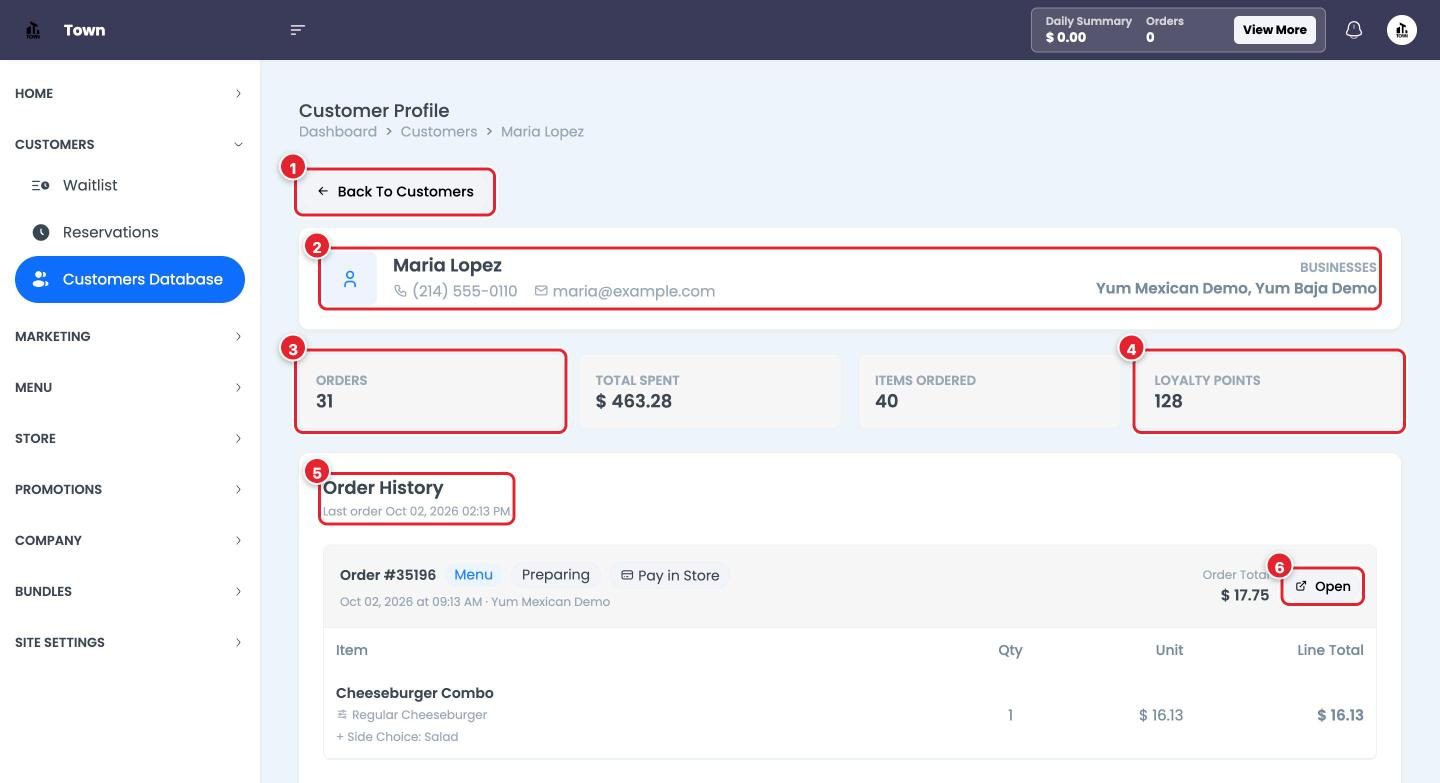
- 1Location One location, or All businesses.
- 2Shared by all locations One profile per guest, across your locations.
- 3Totals Orders, Total Spent, Items Ordered and Loyalty Points.
- 4Order Each order, newest first, with its status.
- 5Payment How they paid, like Pay in Store.
- 6Open Opens the full order.
- 7Contact Name, phone, email and where they order.
Each order lists its items, quantities and prices, so you can see exactly what a regular usually gets.
Still stuck?
Ask Alfredo inside your Town admin, call (469) 249-2795 or email support@town.club. Real people answer 24/7.