



- Help center
- Google & listings
- Read and reply to reviews
Read and reply to reviews
Every review from Google, Facebook and more in one inbox, with replies sent from Town.
Where to find itGoogle & listings › Reviews
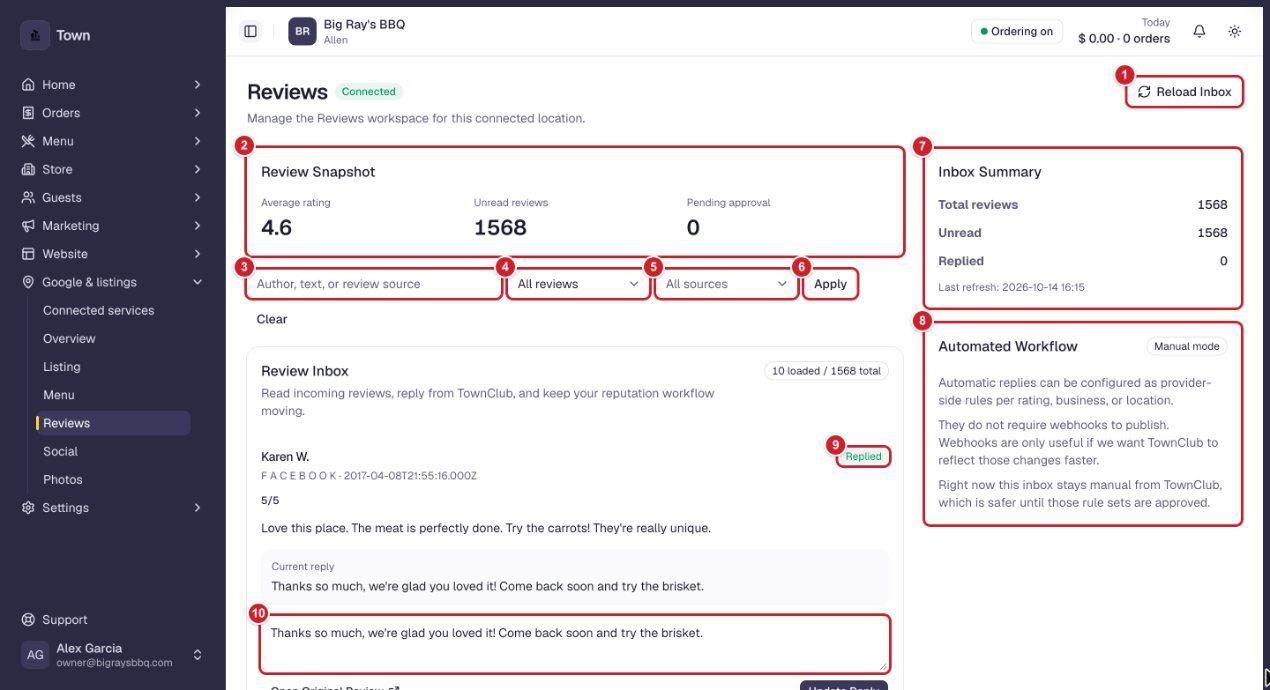
- 1Reload Inbox Pulls in new reviews.
- 2Review Snapshot Average rating, unread reviews and pending approval.
- 3Search By author, text or review source.
- 4Status All reviews, Needs reply or Replied.
- 5Source Like Google, Facebook or Yelp.
- 6Apply Applies the filters.
- 7Inbox Summary Total, unread and replied.
- 8Automated Workflow Replies are sent by hand from Town for now (Manual mode).
- 9Replied This review already has your reply.
- 10Your reply Edit it and click Update Reply.
Reply to a review
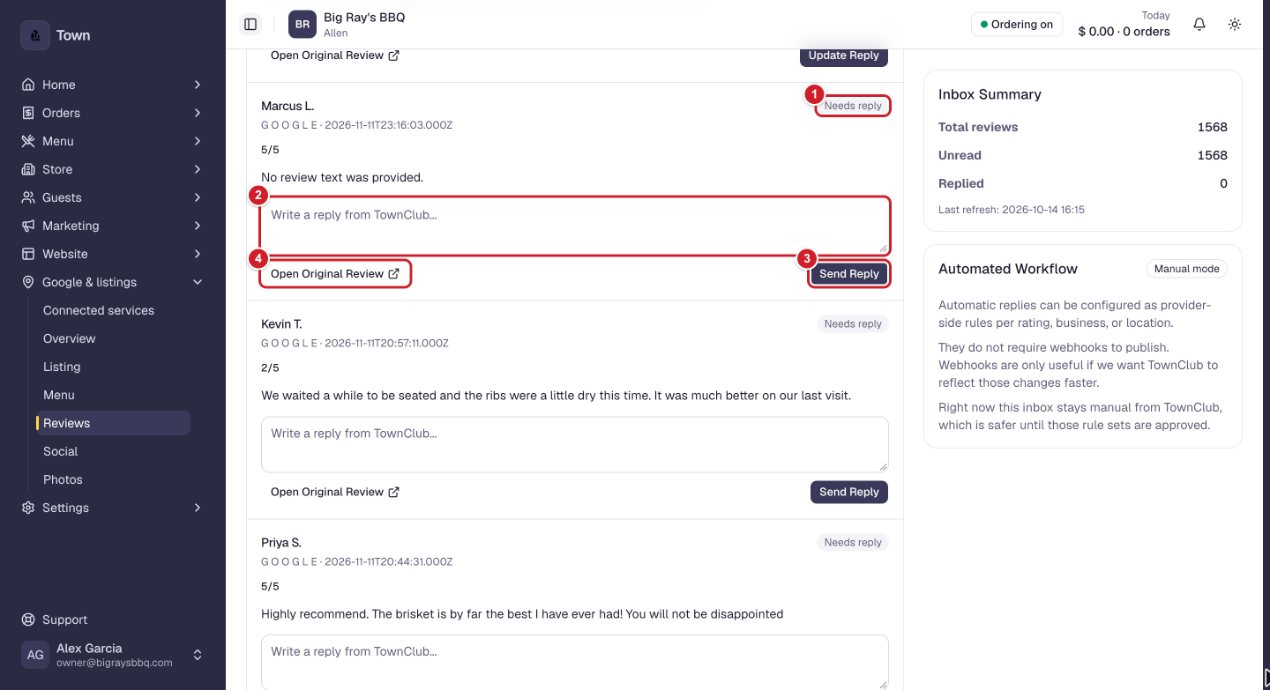
- 1Needs reply You have not answered it yet.
- 2Write a reply Your answer.
- 3Send Reply Posts it to the review site.
- 4Open Original Review Opens the review on its site.
New reviews in the bell
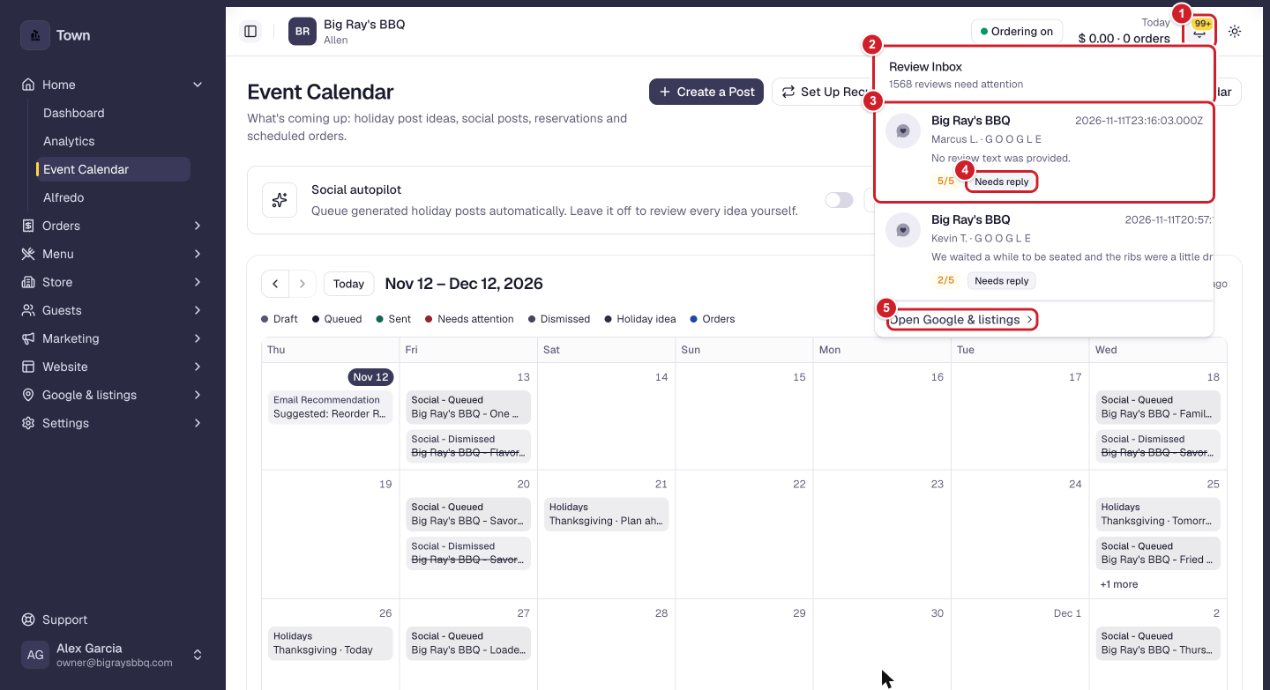
- 1Bell Shows how many reviews need attention.
- 2Review Inbox The newest reviews.
- 3Review Rating, source and the first line.
- 4Needs reply Not answered yet.
- 5Open Google & listings Goes to Reviews.
Tip
Thank happy guests by name and keep replies to unhappy ones short and kind. Offer to make it right and invite them to reach out.
Still stuck?
Ask Alfredo inside your Town admin, call (469) 249-2795 or email support@town.club. Real people answer 24/7.