



- Help center
- Getting started
- Get help from the Town team
Get help from the Town team
Email support, or file a ticket from inside the admin and track every reply.
You can always email support@town.club or call (469) 249-2795. To keep everything in one place, you can also file a support ticket from your admin.
Where to find itSupport › (bottom of the menu on the left)
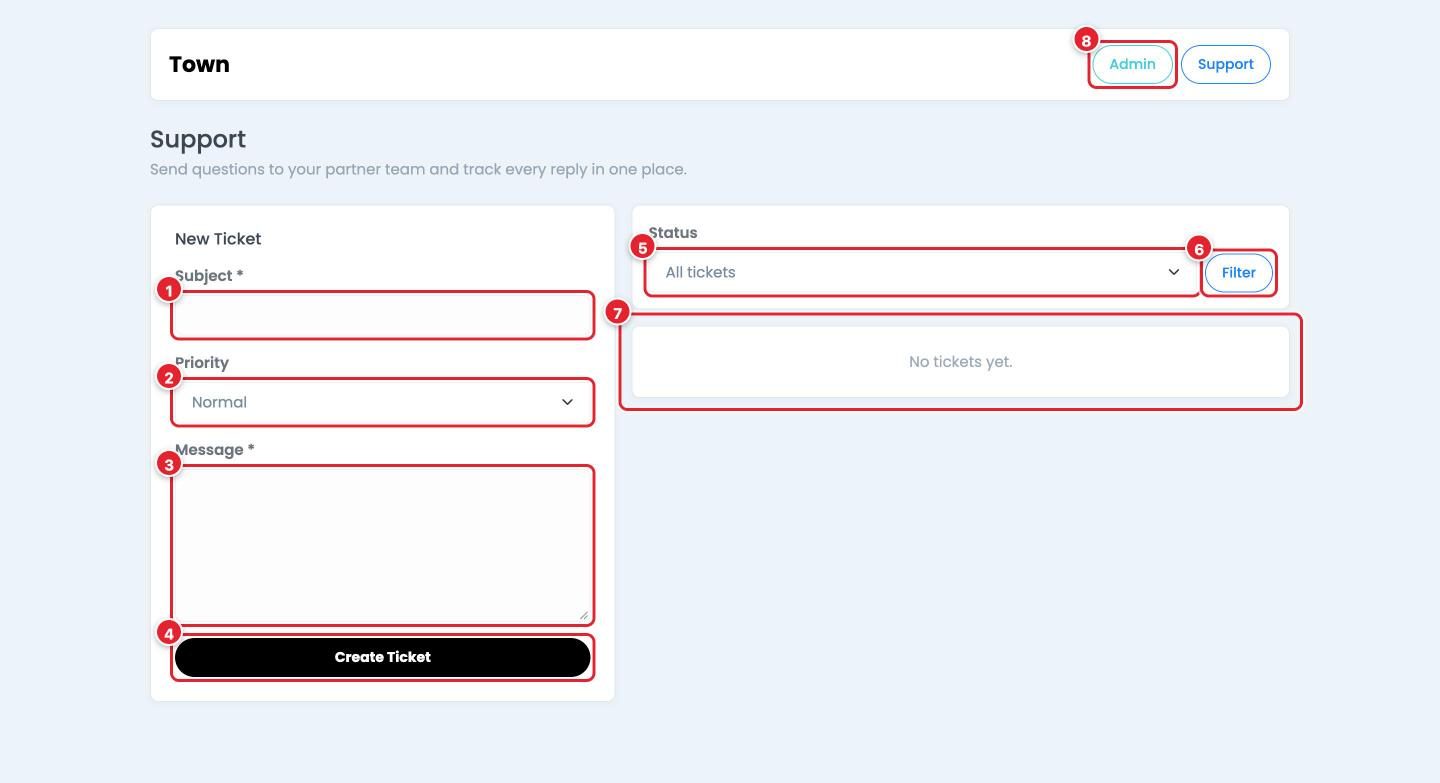
- 1New Support Ticket Starts a new ticket.
- 2Status Show All tickets, or only Open, Waiting on merchant or Closed.
- 3Filter Applies the status.
- 4New Ticket Fill in the Subject, pick a Priority (Low, Normal, High or Urgent) and write your Message.
- 5Create Ticket Sends it to the Town team.
- 6Admin Takes you back to your admin.
- Click Support at the bottom of the menu on the left.
- Click New Support Ticket 1.
- Write a short Subject, like "Menu not showing on Google", choose a Priority and describe what happened in Message 4. Order numbers and the location help.
- Click Create Ticket 5.
"Waiting on merchant" means the team needs something from you. Reply on the ticket so the whole conversation stays together.
Billing and canceling
To change your plan, add a location, update billing details or cancel service, email support@town.club.
Still stuck?
Ask Alfredo inside your Town admin, call (469) 249-2795 or email support@town.club. Real people answer 24/7.