



- Help center
- Promotions & loyalty
- Run a happy hour or daily special
Run a happy hour or daily special
Make a code that only works on certain days and times, or put an item on sale automatically.
Option 1: a code for certain days and times
Create a discount code and set When it works, for example Tuesdays all day for Taco Tuesday.
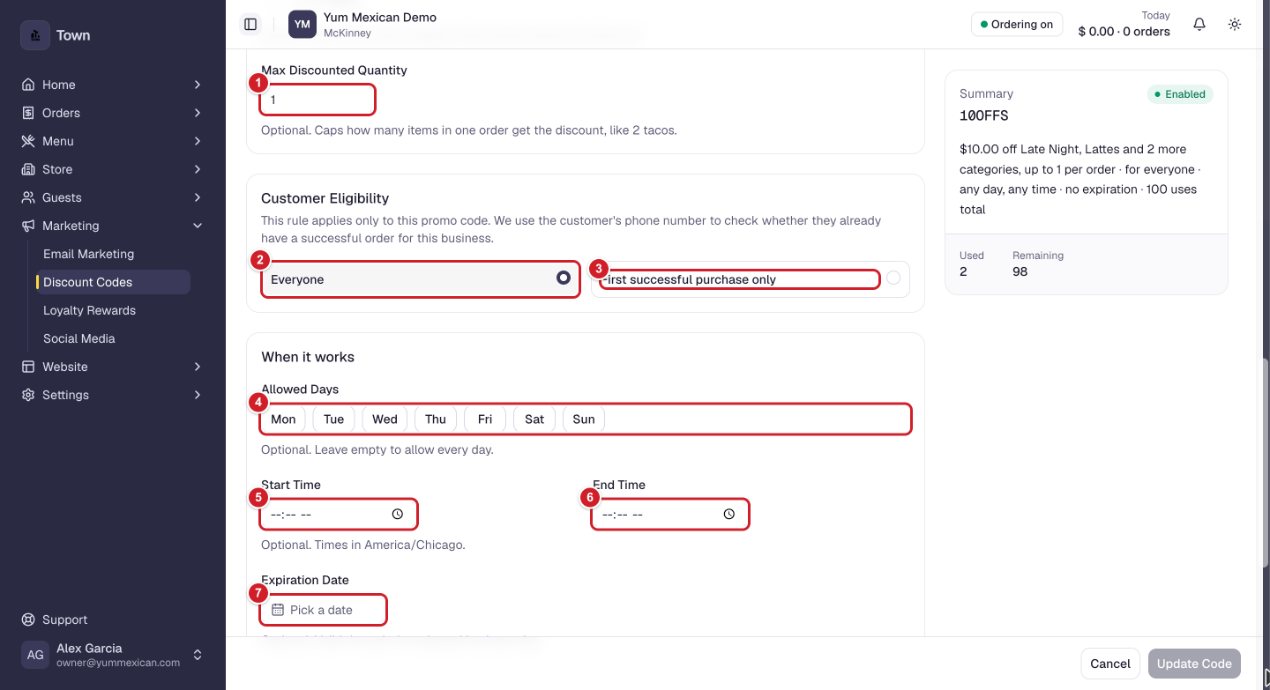
- 4Allowed Days Like Tue.
- 5Start Time Like 3:00 PM.
- 6End Time Like 6:00 PM.
See Create a discount code for every setting.
Option 2: put an item on sale automatically
No code needed. Give one item a discount during certain hours with Special Attributes.
Where to find itMenu › Menus › Builder › ⋯ on the item › Special Attributes › Discount
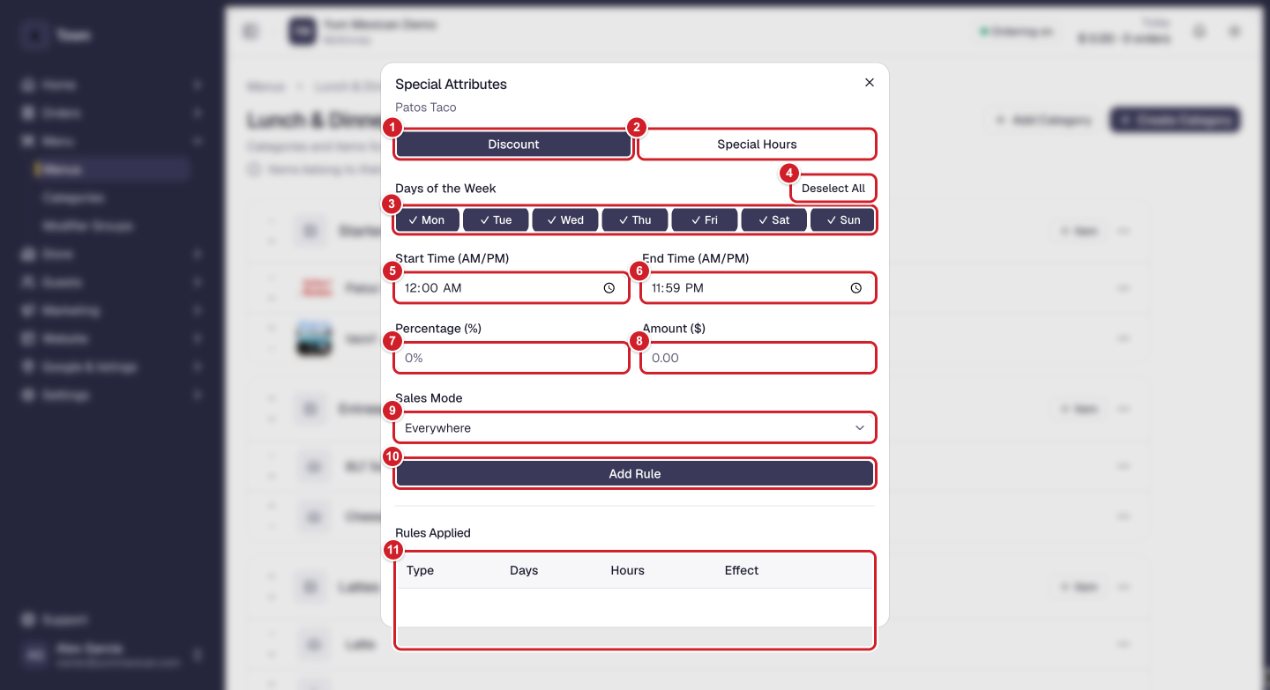
- 1Discount The discount tab.
- 2Special Hours For availability rules instead.
- 3Days of the Week The days it applies.
- 4Deselect All Clears the days.
- 5Start Time When it starts.
- 6End Time When it ends.
- 7Percentage (%) Percent off.
- 8Amount ($) Or dollars off.
- 9Sales Mode Everywhere, Online Only or POS Only.
- 10Add Rule Saves the rule.
- 11Rules Applied Every rule on this item.
Still stuck?
Ask Alfredo inside your Town admin, call (469) 249-2795 or email support@town.club. Real people answer 24/7.