



- Help center
- Orders & refunds
- Cancel an order
Cancel an order
Stop an order in Town, then refund the customer from the same screen if they paid by card.
- Go to Orders › Menu orders and open the order.
- Click Change Status and choose Canceled 5.
- If the customer paid by card, refund them from the same order page. See Refund a customer.
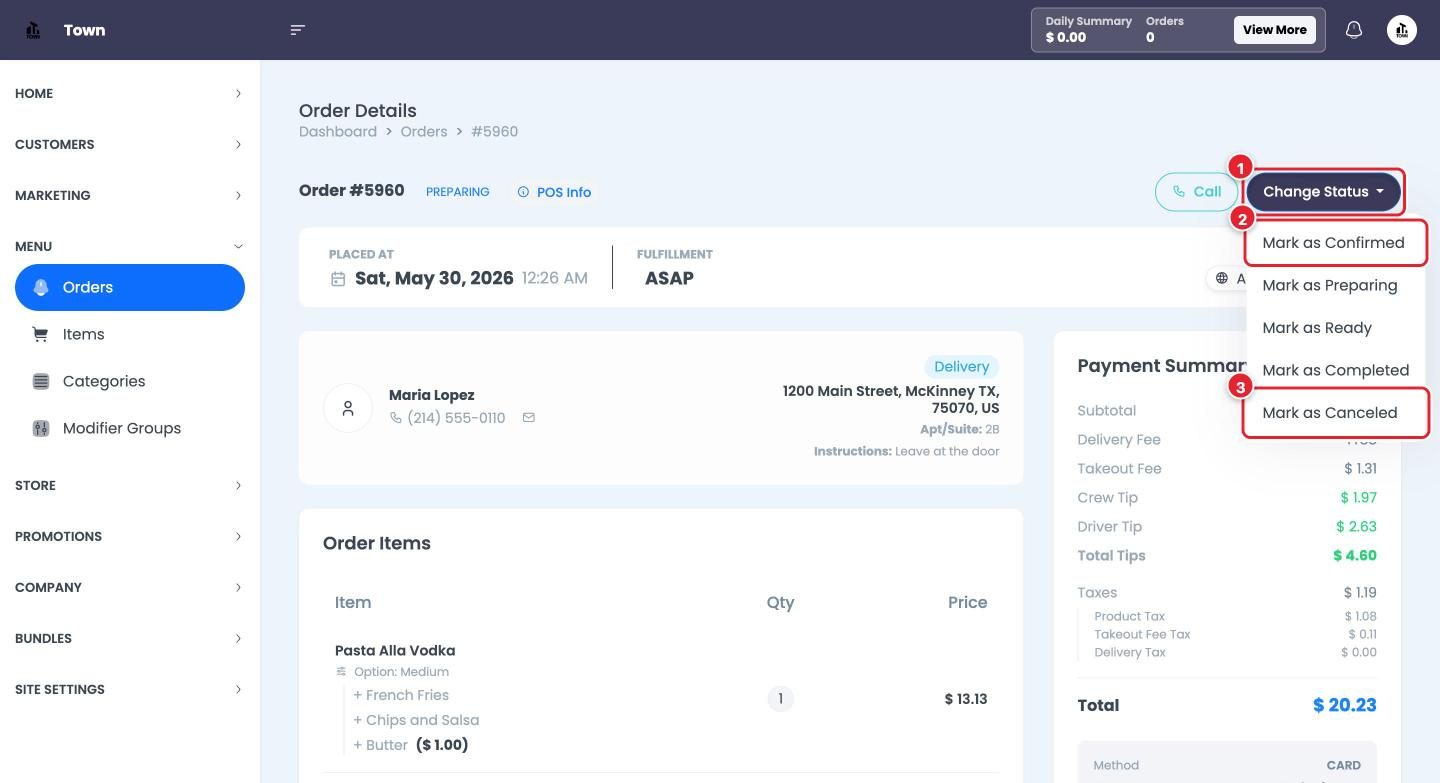
- 5Canceled Stops the order.
Good to know
Canceling an order does not give the customer their money back. Refund it too, in Payment Operations on the order.
Still stuck?
Ask Alfredo inside your Town admin, call (469) 249-2795 or email support@town.club. Real people answer 24/7.