



- Help center
- Google & listings
- What is Google & listings?
What is Google & listings?
One place to keep your Google profile and dozens of directories up to date, answer reviews and post to social.
Google & listings sends your business details, hours, menu and posts to Google, Apple Maps, Facebook, Yelp, Instagram and many other directories. Once your location is connected by the Town team, a Google & listings section appears on the left.
Where to find itGoogle & listings › Connected services
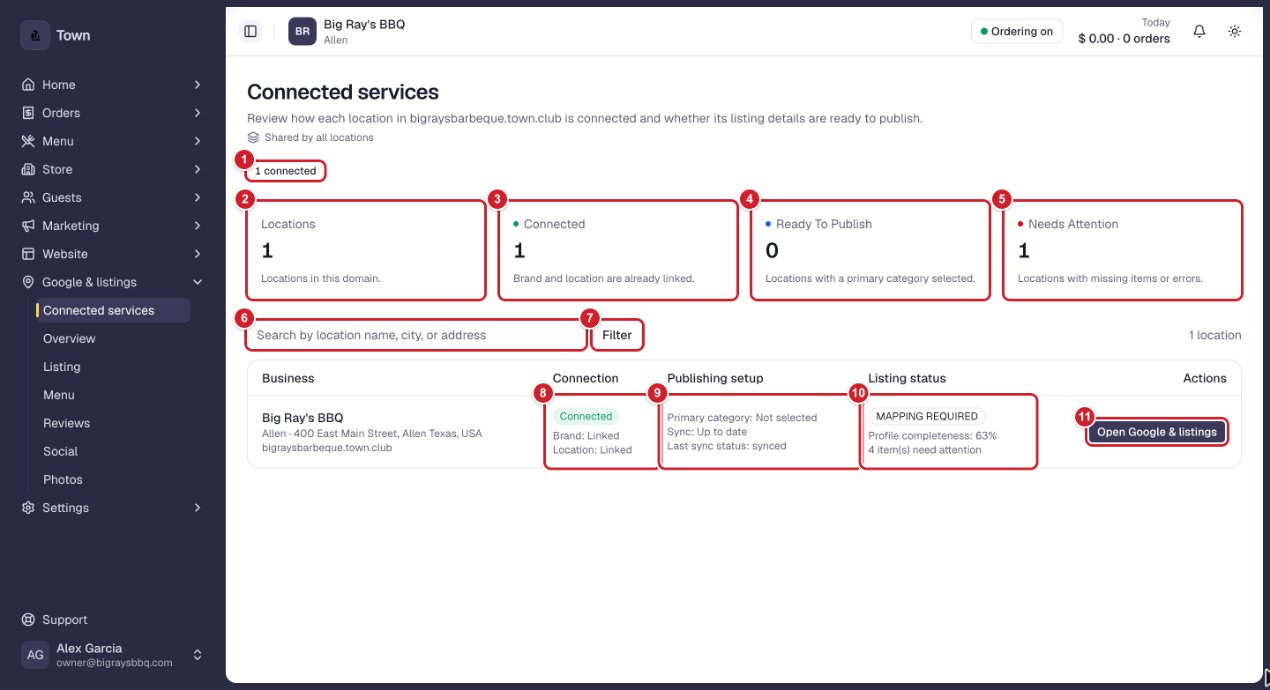
- 1Connected How many locations are connected.
- 2Locations Locations in your account.
- 3Connected Locations already linked.
- 4Ready To Publish Locations with a primary category picked.
- 5Needs Attention Locations with missing details or errors.
- 6Search Find a location.
- 7Filter Applies the search.
- 8Connection Whether the brand and location are linked.
- 9Publishing setup Primary category and sync status.
- 10Listing status Profile completeness and how many items need attention.
- 11Open Google & listings Opens that location’s Overview.
Overview
Where to find itGoogle & listings › Overview
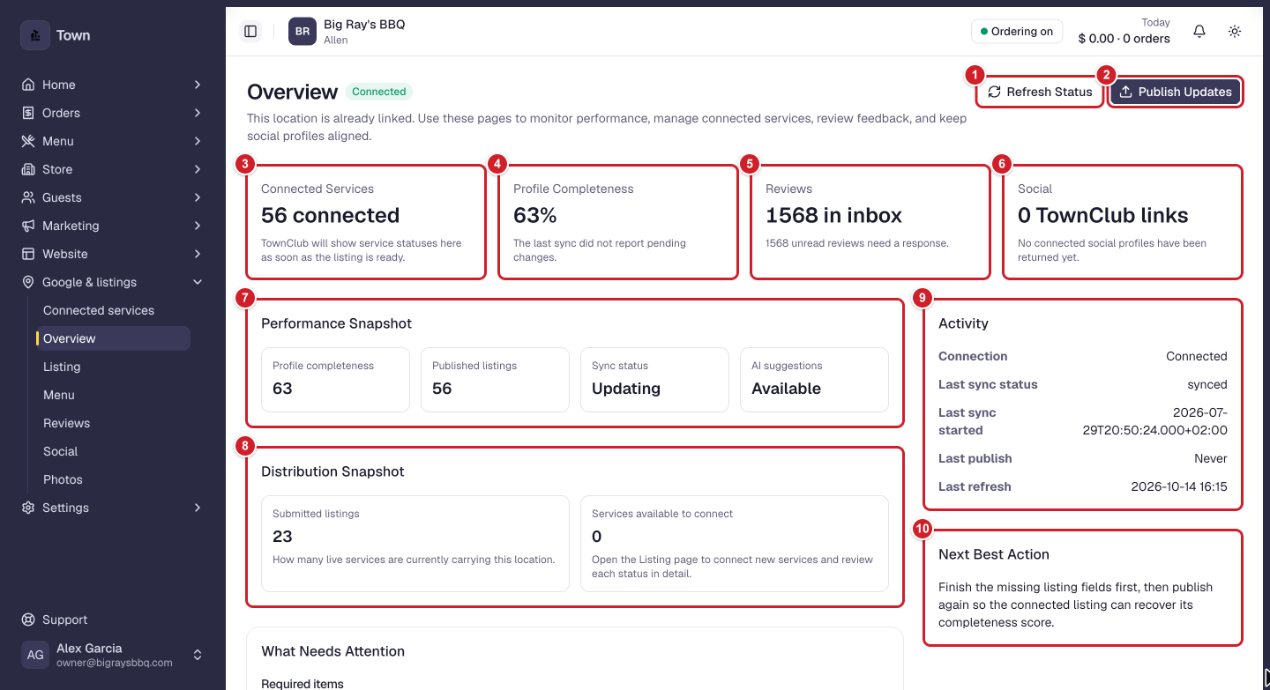
- 1Refresh Status Pulls in the latest status.
- 2Publish Updates Sends your latest details to every connected service.
- 3Connected Services How many services carry your listing.
- 4Profile Completeness How complete your profile is. Higher helps you show up.
- 5Reviews Reviews in your inbox.
- 6Social Linked social profiles.
- 7Performance Snapshot Completeness, published listings, sync status and AI suggestions.
- 8Distribution Snapshot Submitted listings and services you could still connect.
- 9Activity Connection, last sync, last publish and last refresh.
- 10Next Best Action What to do next.
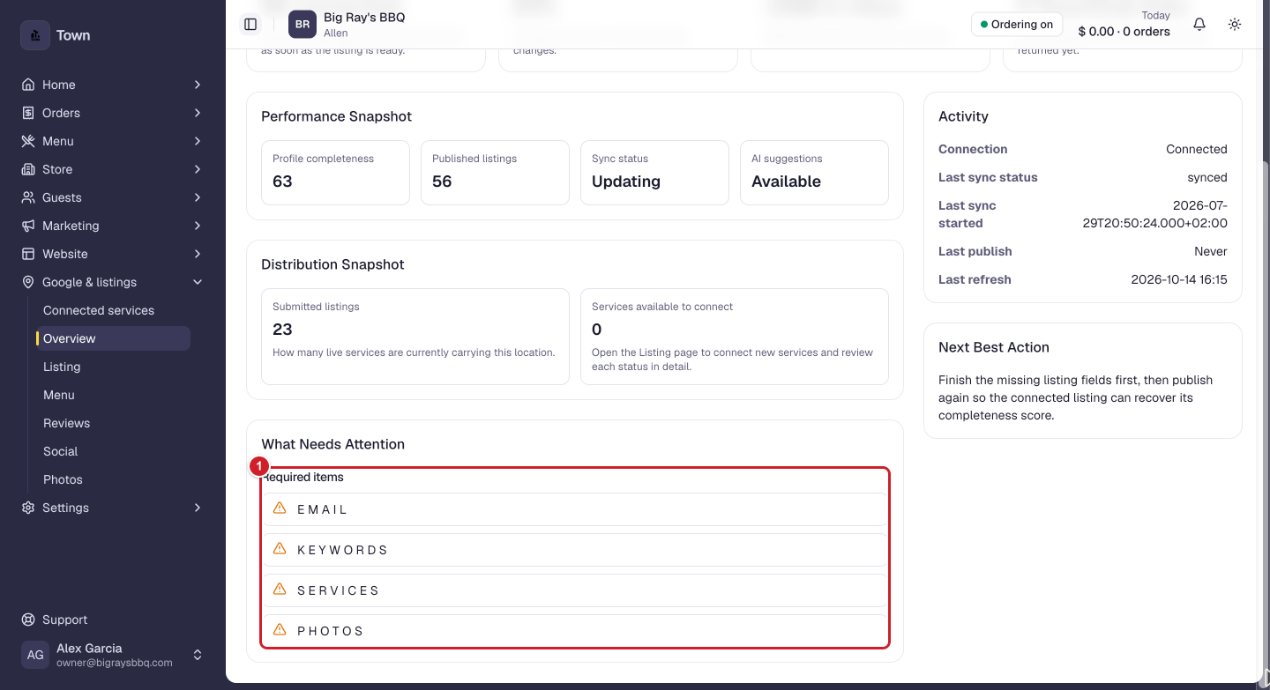
- 1Required items Details your listing is missing, like Email, Keywords, Services or Photos.
The pages in Google & listings
- Listing
- Connected services, category, hours and descriptions. See Edit and publish your listings.
- Menu
- Sends your menu to your listings. See Keep your menu up to date on Google.
- Reviews
- Read and reply. See Read and reply to reviews.
- Social
- AI and scheduled posts. See Create social posts with AI.
- Photos
- Your photo library for posts. See Manage your photos.
Tip
Want Google & listings for your restaurant? Email support@town.club.
Still stuck?
Ask Alfredo inside your Town admin, call (469) 249-2795 or email support@town.club. Real people answer 24/7.