



- Help center
- Dashboard & reports
- Read your Dashboard
Read your Dashboard
Sales, orders, tips and taxes for any day and time range, plus what is coming up this week.
Where to find itHome › Dashboard
Choose what you are looking at
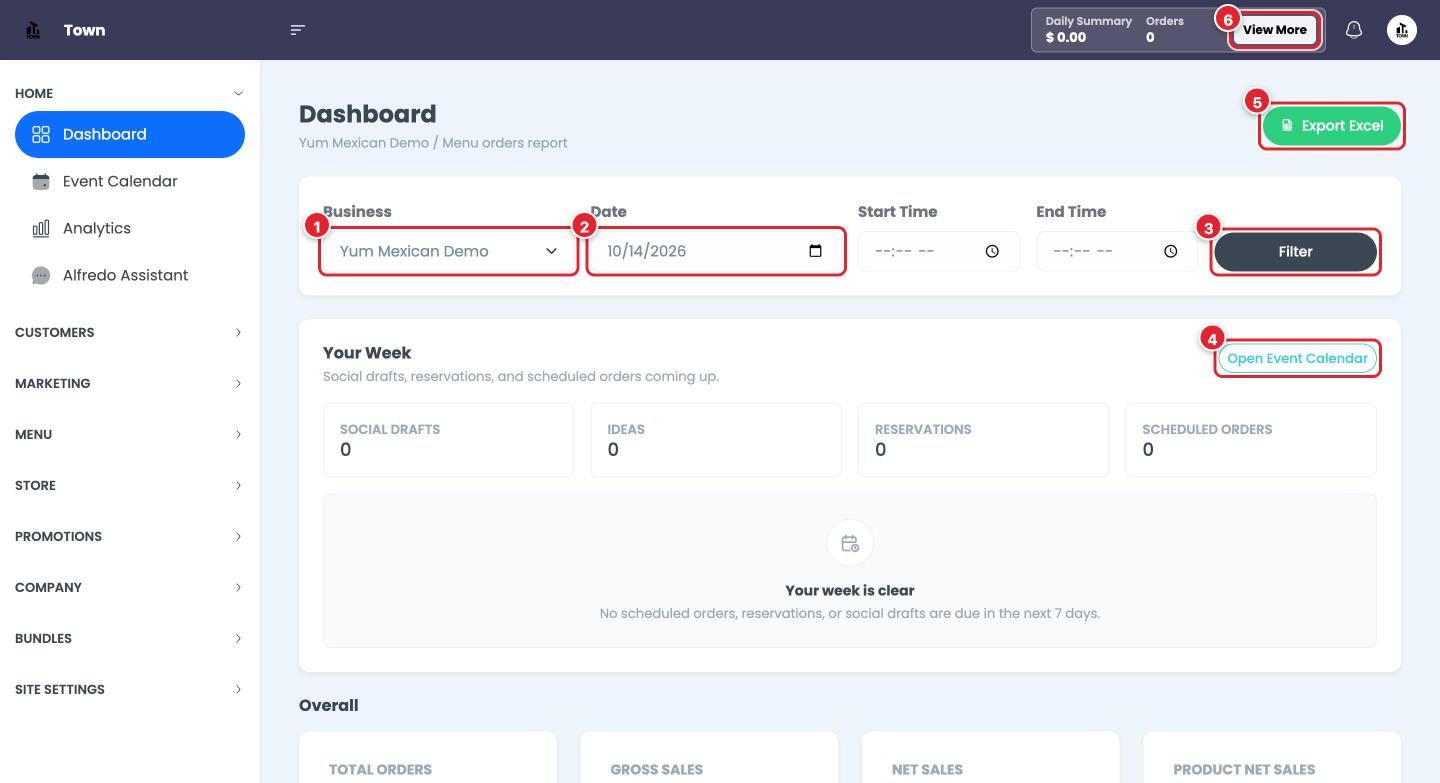
- 1Location switcher The location to report on.
- 2Date The day to report on. It starts on today.
- 3Start Time Optional. Narrow it to one shift, like 11:00 AM.
- 4End Time The end of that shift, like 2:00 PM.
- 5Export Excel Downloads the report for what you picked.
- 6Ordering on Whether online ordering is open. Click it to pause.
- 7Today Today’s sales and order count. It is in the top bar on every page.
- 8Your Week What is coming up in the next 7 days: Social drafts, Ideas, Reservations and Scheduled orders. Open Event Calendar shows them all.
What the numbers mean
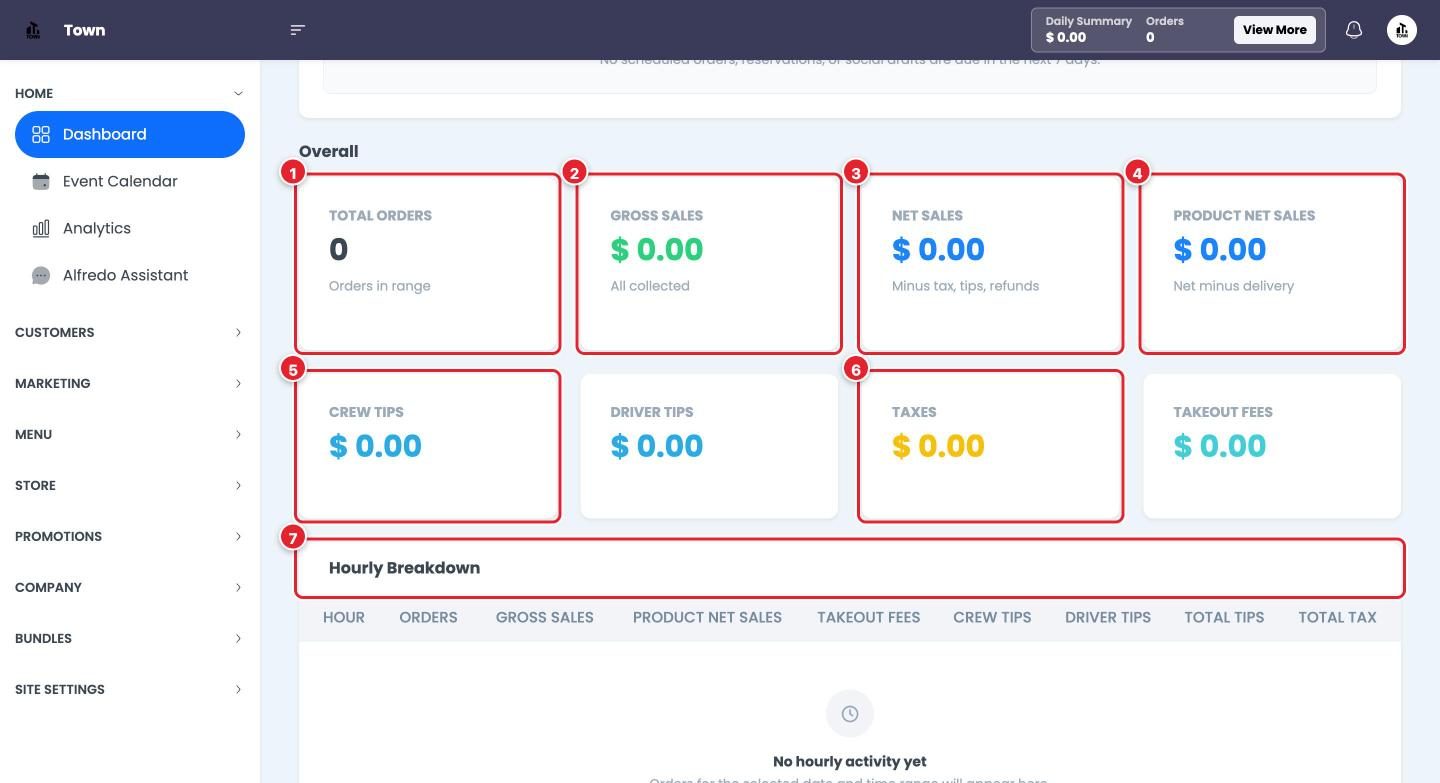
- 1Total Orders Orders placed in the range.
- 2Gross Sales Everything collected, including tax, tips and fees.
- 3Net Sales Gross sales minus tax, tips and refunds.
- 4Product Net Sales Net sales minus delivery: what your food and drinks brought in.
- 5Crew Tips Tips for your team.
- 6Driver Tips Tips for delivery drivers.
- 7Taxes Tax collected.
- 8Takeout Fees Takeout fees collected.
- 9Hourly Breakdown One row per hour, so you can see your busy times.
Tip
Want every order as a spreadsheet instead? Use Export Excel on Menu orders.
Still stuck?
Ask Alfredo inside your Town admin, call (469) 249-2795 or email support@town.club. Real people answer 24/7.