



- Help center
- Orders & refunds
- Export orders to Excel
Export orders to Excel
Download every order for a date range as a spreadsheet.
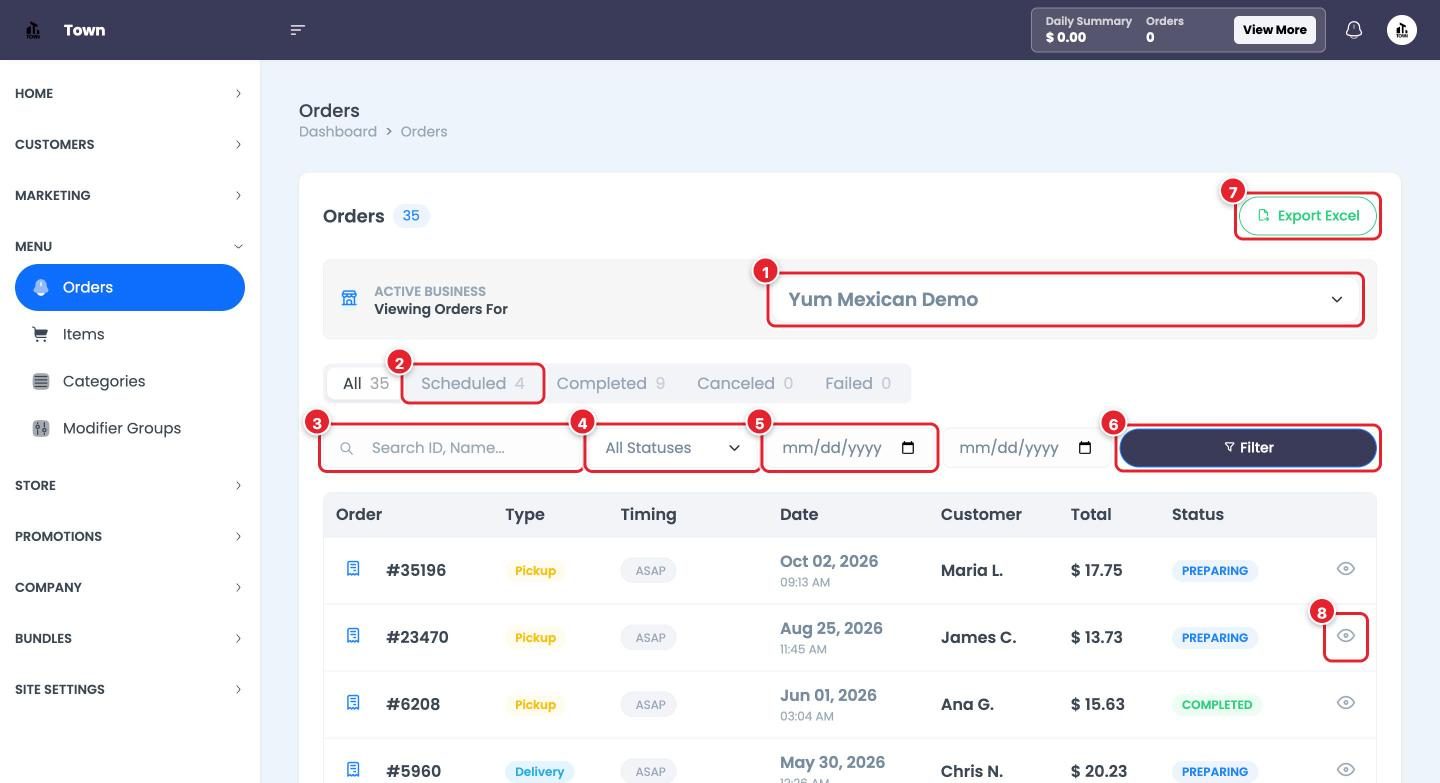
- 1Tabs Pick which orders, like Completed.
- 3All Statuses Optional status filter.
- 4Date range The days you want.
- 5Export Excel Downloads the filtered list.
- Pick the location in the location switcher at the top.
- Go to Orders › Menu orders.
- Set the date range 4, and a tab or status if you like.
- Click Export Excel 5.
For totals by day and hour, use Export Excel on the Dashboard.
Still stuck?
Ask Alfredo inside your Town admin, call (469) 249-2795 or email support@town.club. Real people answer 24/7.