



- Help center
- Locations & settings
- Tips, prep time and tax
Tips, prep time and tax
Choose the tip options guests see, your default prep time, and your tax rate.
Where to find itSettings › Locations › ⋯ Edit › Commerce
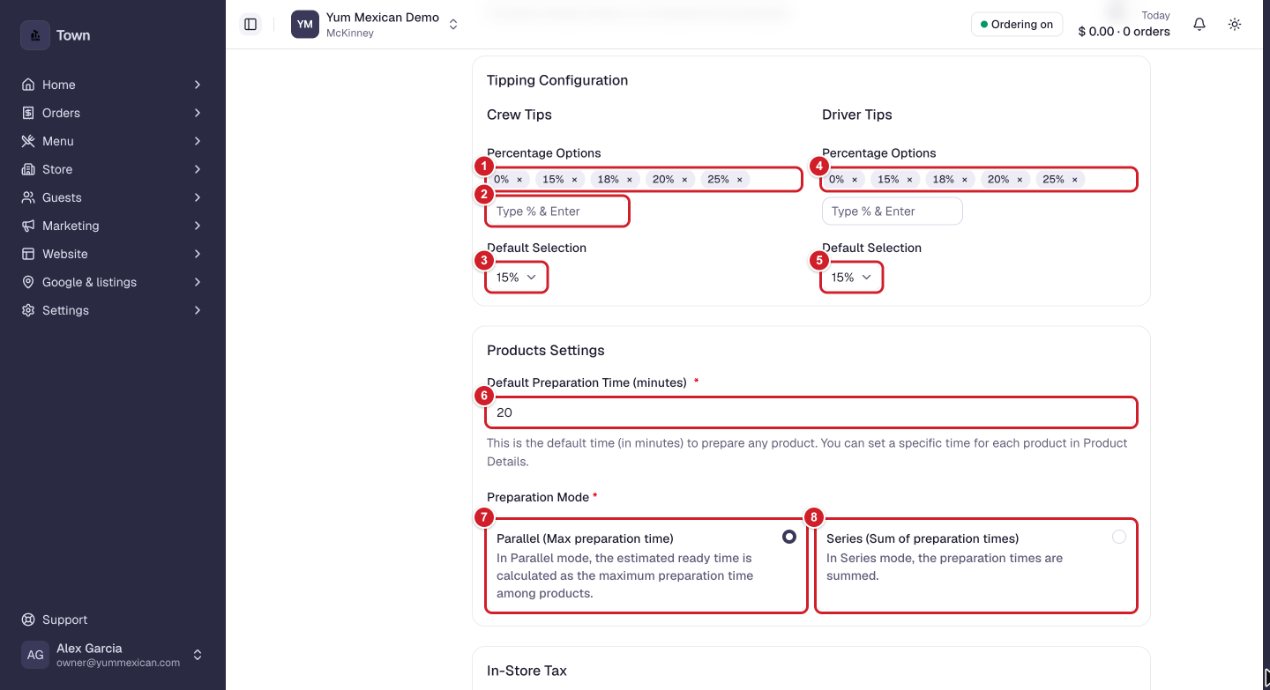
- 1Crew tip options The percentages guests can pick. Click × to remove one.
- 2Add an option Type a percent and press Enter.
- 3Crew default The tip picked first.
- 4Driver tip options Tip choices on delivery orders.
- 5Driver default The driver tip picked first.
- 6Default Preparation Time (minutes) Prep time for any item. You can set a different time on each item in Product Details.
- 7Parallel The ready time is the longest prep time in the order.
- 8Series The ready time adds up every item’s prep time.
Tax
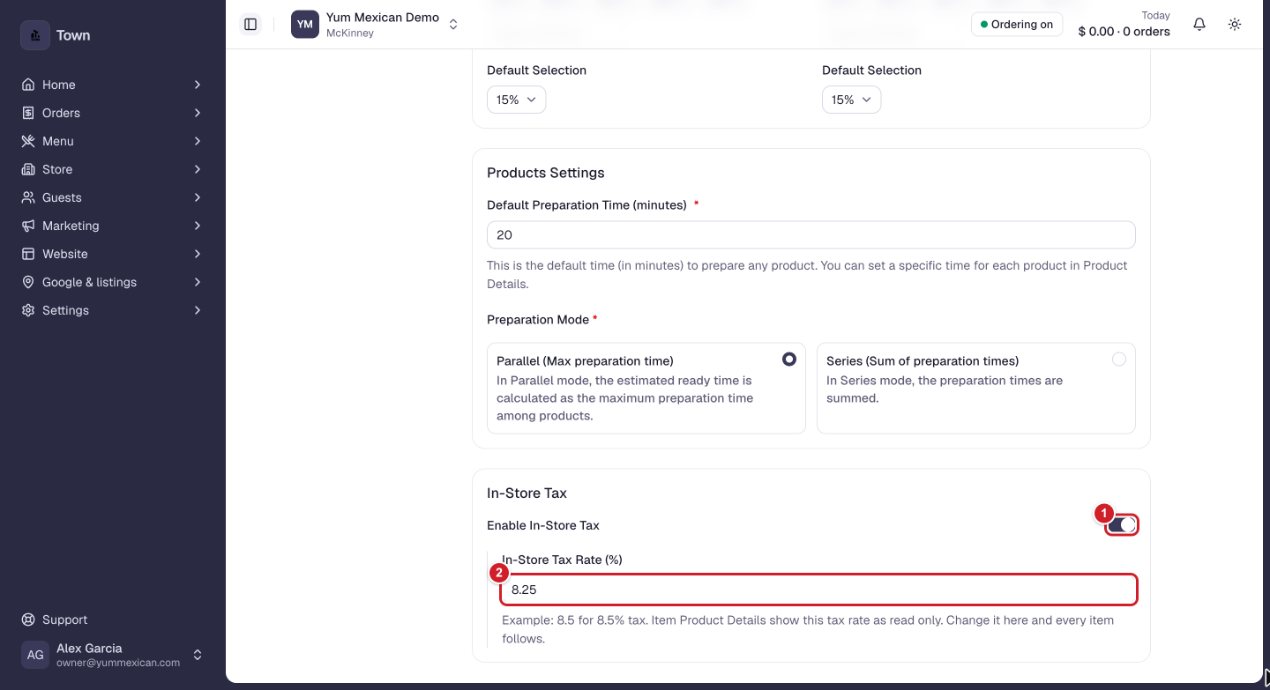
- 1Enable In-Store Tax Charges tax on orders.
- 2In-Store Tax Rate (%) Like 8.25. Every item uses this rate.
Click Update to save.
Still stuck?
Ask Alfredo inside your Town admin, call (469) 249-2795 or email support@town.club. Real people answer 24/7.