



- Help center
- Orders & refunds
- Order statuses explained
Order statuses explained
What Pending, Confirmed, Preparing, Ready, Completed, Canceled and Failed mean.
- Pending
- The order was placed and is waiting for you.
- Confirmed
- You accepted it.
- Preparing
- It is being made.
- Ready
- Ready for pickup or for the driver.
- Completed
- Done.
- Canceled
- The order was stopped. Canceling does not refund the customer. See Refund a customer.
- Failed
- The order did not go through, for example a payment problem.
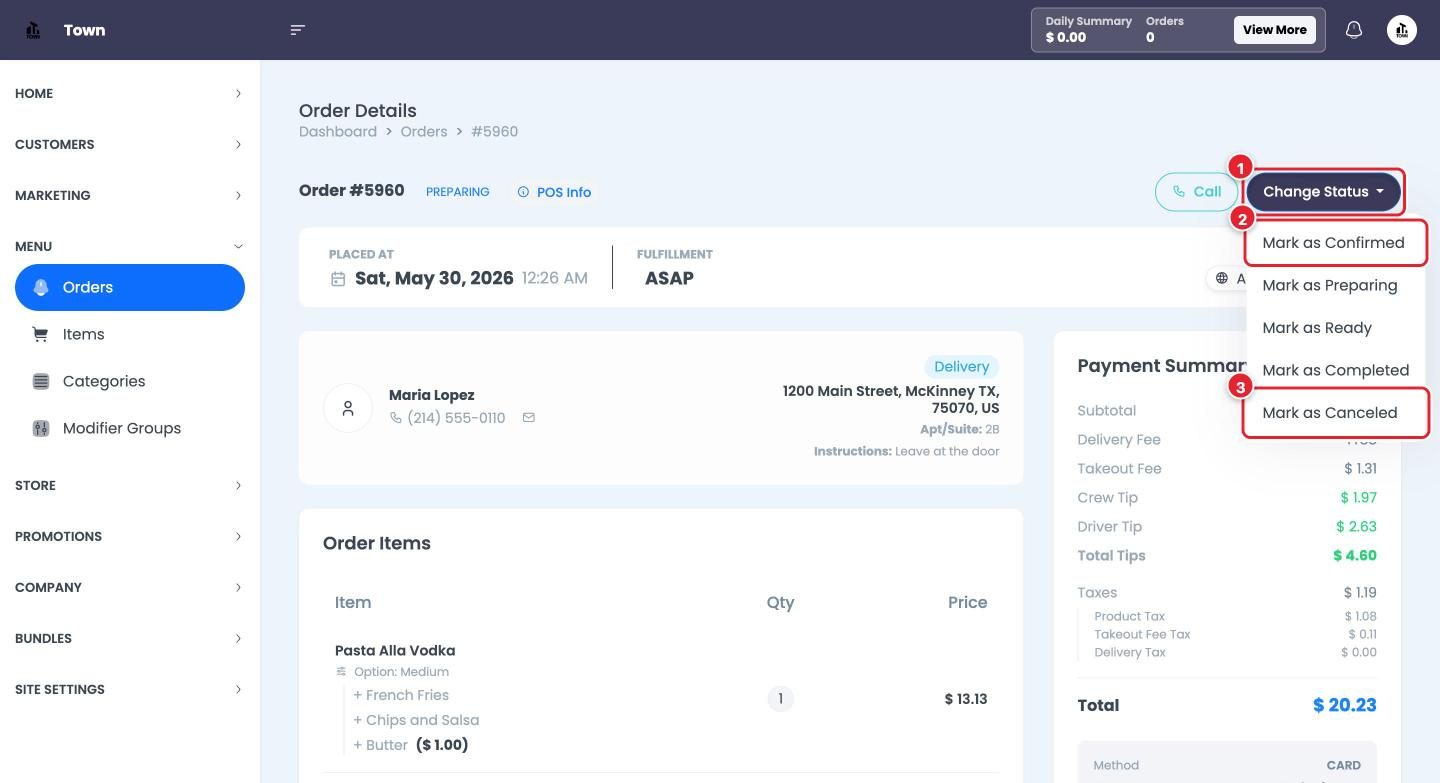
- 1Mark as Confirmed The usual next step for a new order.
- 5Canceled Use when an order will not be made.
Find orders in a given status with the tabs or the All Statuses filter on Menu orders. To have orders move along automatically, see Ordering settings.
Still stuck?
Ask Alfredo inside your Town admin, call (469) 249-2795 or email support@town.club. Real people answer 24/7.